- ❯Market Explorer
- ❯Collections
- ❯Chrome Extension
- ❯API
- ❯App timeline
- ❯Blog
- ❯Partners
Top Free Art & Design Apps in Algeria
Top 10 Apps

AR Drawing App: Trace & Sketch
With ar drawing, you can project images onto any surface and follow them like tracing paper. It supports sketch drawing practice and helps you improve your skills step by step.
What is AR drawing?
✨A simple way to use your camera to create accurate trace sketch
✨Helps beginners improve drawing skills and practice easy drawing
✨Turn photos into clear trace image layers for better visibility
✨Follow outlines directly on paper while drawing
✨Create simple animations from your sketch drawing step by step
How to use AR Drawing App: Trace & Sketch:
1️⃣Open the app and start ar drawing
2️⃣Choose a sample image or import from gallery
3️⃣Select mode: sketch or trace
4️⃣Adjust opacity and grid for better visibility
5️⃣Start drawing step by step on paper
Main features of this sketch and draw app:
✅AR drawing projector to help you trace and draw directly on paper
✅Template library for trace sketch and different sketch drawing ideas
✅Draw by text to create ideas and convert them into sketch references
✅Create simple drawing animation from your sketch process
✅Customize brushes, opacity and lines for your sketch art style
✅Save and manage your art drawings in personal gallery
🎨Whether you are learning to draw, practicing easy drawing or exploring painting art sketch, AR Drawing App: Trace & Sketch offers a simple way to practice and improve over time. Explore ar drawing and build your skills step by step.
👉 Download today and start creating your own sketch drawing. AR Drawing App: Trace & Sketch , a leading app in the Art & Design Apps category, boasts a robust user base with a total of 112M installs. It sees impressive engagement with 70M monthly installs and 7M daily installs, reflecting its popularity and usability. The app generates significant monthly revenue, indicative of its effective monetization strategies and user satisfaction. The app supports in-app purchases, allowing users to enhance their experience with additional features and content. AR Drawing App: Trace & Sketch was first released April 13, 2026, and has been continually updated, with the latest update rolled out just April 13, 2026. This commitment to regular updates ensures that users always have access to the latest features and improvements. The app and is currently on version 1.0.0. AR Drawing App: Trace & Sketch maintains a strong presence in the market, supported by numerous rating votes that attest to its reliability and effectiveness in helping users achieve their Top charts free play goals.

AI Video Generator: 3D FlixAI
🎥🖼️ This all-in-one AI video generator and image generator focuses on three core superpowers: Text to Video, Image to Video and Text to Art. Type anything, add an image or pick a style, and the app instantly creates short videos, anime clips and stunning AI art ready to share.
⭐ MAIN FEATURES
• 🎬 Text to Video
Turn any prompt into short AI videos. Describe a scene, character or story and watch it become a dynamic clip for TikTok, Instagram Reels, YouTube Shorts and stories. Choose different styles like anime, 3D, cinematic, cartoon or realistic.
• 🖼️➡️🎥 Image to Video
Animate your photos in one tap. Use a selfie, portrait, drawing or any picture and transform it into smooth video with motion, camera moves and magic FX. Perfect for turning simple photos into eye-catching content and creative reels.
• ✏️➡️🎨 Text to Art
Use the AI photo generator to create unique AI images from words. Turn simple text into detailed art, aesthetic wallpapers, anime portraits, 3D-style pictures and creative illustrations for any idea you have.
⚡ SMART, FAST, SIMPLE
• ⚡ One-tap generation for photos and AI videos
• 🎭 Preset styles: anime, 3D, realistic, cartoon, realistic and more
• 📤 High-quality images and videos, ready to download or share
• 👶 Designed to be fast and easy even for complete beginners
🌍 CREATE FOR ANY PLATFORM
Use AI Photos Maker: 3D FlixAI to:
• 🚀 Make viral AI video clips from text or images
• 📖 Tell short stories with AI characters, scenes and motion
• 🧠 Experiment with new concepts, ideas and creative styles
If you’re searching for an video generator, image to video tool or text to art app, AI Video Generator: 3D FlixAI puts everything in one powerful, simple place. ✨ AI Video Generator: 3D FlixAI , a leading app in the Art & Design Apps category, boasts a robust user base with a total of 6B installs. It sees impressive engagement with 800M monthly installs and 33M daily installs, reflecting its popularity and usability. The app generates significant monthly revenue, indicative of its effective monetization strategies and user satisfaction. The app supports in-app purchases, allowing users to enhance their experience with additional features and content. AI Video Generator: 3D FlixAI was first released July 26, 2025, and has been continually updated, with the latest update rolled out just April 16, 2026. This commitment to regular updates ensures that users always have access to the latest features and improvements. The app and is currently on version 1.2.1. With 517 reviews, AI Video Generator: 3D FlixAI maintains a strong presence in the market, supported by numerous rating votes that attest to its reliability and effectiveness in helping users achieve their Top charts free play goals.
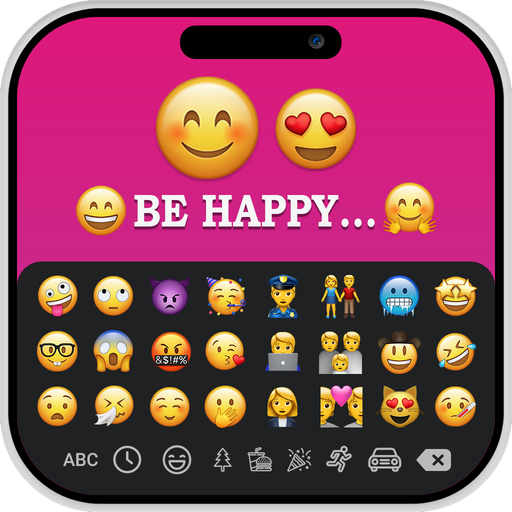
iOS Emojis For Story
The iOS Emoji for Story app has the ability to change the font style of your text. It provides a variety of font styles to add to your text.
The iOS Emoji for Story app allows you to modify text colors, gradients, and images, you can align your text by using the letter spacing and line spacing features of this app.
After creating images by adding your own text and iOS emoji’s, tap the save button to save the images to your gallery, Then simply select them from a gallery and add them to your story to make it more creative.
KEY FEATURES:-
➤Allows you to create your own images by adding text and iOS emoji’s
➤Enables you to use iOS Emoji’s while creating story
➤Allows you to modify text colors, gradients, and images
➤Ability to add background colors to your images
➤Easy to use iOS Emoji’s on your Android device
➤Ability to change the font style
➤It is available for free download
➤User-friendly application to enhance your story
The iOS Emoji’s for Story is an application for creating creative, fun, bright, and colorful posts, messages for social media.
Download the iOS Emoji’s for Story app to access iOS emoji’s on any Android device. iOS Emojis For Story , a leading app in the Art & Design Apps category, boasts a robust user base with a total of 3B installs. It sees impressive engagement with 90M monthly installs and 5M daily installs, reflecting its popularity and usability. The app generates significant monthly revenue, indicative of its effective monetization strategies and user satisfaction. The app supports in-app purchases, allowing users to enhance their experience with additional features and content. iOS Emojis For Story was first released December 14, 2023, and has been continually updated, with the latest update rolled out just March 14, 2026. This commitment to regular updates ensures that users always have access to the latest features and improvements. The app and is currently on version 1.0.8. With 139 reviews, iOS Emojis For Story maintains a strong presence in the market, supported by numerous rating votes that attest to its reliability and effectiveness in helping users achieve their Top charts free play goals.
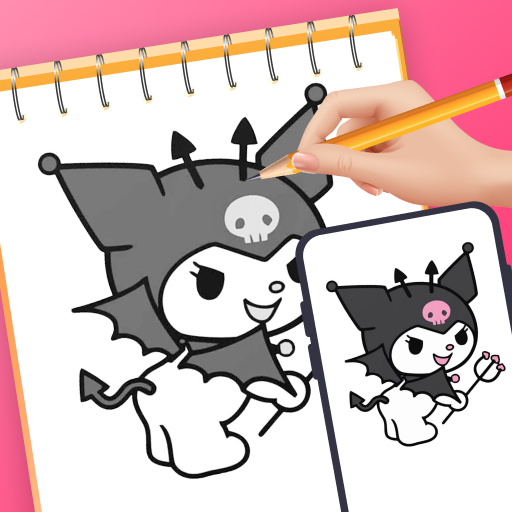
Artrace: AR Easy Draw & Sketch
🤔 Do you want to learn how to draw but don't know where to start? Or do you simply want to create unique artwork that combines reality and virtual elements? Artrace: AR Easy Draw & Sketch is the perfect tool for you! ✨
⭐ Rated 4.5 stars by the community, AR Drawing is the most advanced and beloved camera-based drawing tool for everyone, from beginners to seasoned artists. Artrace: AR Easy Draw & Sketch , the ultimate tool for learning to ar draw, ar draw sketch and trace anything
🎨 With AR Drawing with Sketchar App, Transform Your Real World into a Creative Canvas! Unleash your inner artist and transform any surface into your personal canvas using the power of augmented reality
🌐 Join 50 million users worldwide who are discovering the power of AR drawing and sharing unique AR artworks daily. You can draw unlimited pictures and share your magnificent results with friends and family as you like, mastering the art to ar draw, ar draw sketch and trace anything.
With advanced Augmented Reality (AR) technology, you can 👇
📸 1. Draw through camera
- Place your phone on a stand, look through the screen, and sketch everything you see – from sample photos and surrounding objects to entire scenes!
- Easily draw unlimited characters you love, such as Hello Kitty, Pikachu, or Jujutsu Kaisen, right through your camera.
- Explore an endless array of today's hottest topics like Anime, Cartoon, Animal, Cute, Food, Chibi, People, Fanart, Vehicle, Flowers, Eyes, Christmas, Nature, and more.
🎓 2. Learn to Draw Easily
- Transform complex photos into simple outlines for tracing, an excellent way to practice your drawing skills.
- Discover a diverse range of lessons tailored to artists of all levels. Choose from three difficulty levels, each offering progressively challenging exercises to hone your skills and unleash your creativity.
🌈 3. Unlimited Creativity with AR Drawing
- Select from a diverse sample library or import photos from your own gallery.
- Enhance your drawings with advanced options: Adjust Opacity for the best display, Record video of your drawing process easily, Zoom in-out of the image as you wish, On-off flash, and Extend.
- Notably, detailed video tutorials are available for beginners on how to draw specific pictures.
🌟 4. Share Your Masterpiece
- Effortlessly share your finished artwork with the community and your friends.
- Download videos of your unique drawing process and enjoy watching them.
👤 Personalize your content and drawing experience.
- With your AR Drawing profile, track your drawing skill improvement journey, including time spent drawing and lessons completed.
- Access personalized sketch content tailored for your AR drawing and 'trace anything' experience.""
Download the Artrace: AR Easy Draw & Sketch now and join millions of artists discovering a new way to draw.
If you have any questions or contributions to the app, do not hesitate to contact us via email: feedback.drawsketch@bralyvn.com. We value your contributions and will do our best to meet all requirements and improve product quality.
Terms of Use: https://bralyvn.com/term-and-condition.php
Privacy Policy: https://bralyvn.com/privacy-policy.php

Future Self™: AI Face Aging
This innovative app is a powerful face changer and aging app that allows you to see your potential future self with our advanced age filter.
✨ FUTURE SELF FACE CHANGER AI
Visualize how you will look as you age with future face. Our advanced AI face generator will provide you with a vivid image of yourself, realistic preview of how you might look in the years to come using the future self old age filter. Not only can you explore your future self, but our app also offers the ability to see yourself looking younger with the face old to young app.
✨ AI ART GENERATOR
Create stunning art images with our AI art generator. If you love 3D drawings, this tool makes generating AI avatars easy and fun.
Turn your photos into beautiful works of art with our high-quality AI art generator. If you want to create 3D cartoon image, vivid AI anime photos or customize your own avatar without restrictions, our tool will make it easy and fun. Explore endless creative possibilities with the ultimate AI art generator photo editor.
✨ ENHANCE PICTURE
Enhance your photos to Ultra HD quality with our high-quality image enhancer tool. Experience auto enhance photo quality that makes every detail stand out while ensuring your images look natural and vibrant.
✨ EFFECT SKY
Elevate your photos with stunning photo editor effects by changing the sky. Our tool allows you to easily edit image background to create magical feel. With our advanced photo editor AI, you can enjoy seamless sky background change and explore a range of photo editor effects filters.
✨ REMOVE OBJECTS
Effortlessly remove unwanted objects from photo and clean up your images with our intuitive tool. Featuring a powerful magic eraser photo function, our background eraser ensures a smooth editing experience and helps you get perfect photos.
✨ FACE SPOT REMOVER
Easily erase blemishes and imperfections for a smooth, radiant look. With our advanced photo face cleaner, your images will always showcase flawless skin in every shot.
✨ PASSPORT PHOTO GENERATOR
Quickly create professional passport or ID photos with precision. Use the ID photo background color changer to customize and ensure your pictures meet every requirement effortlessly.
Join thousands of users who are already transforming their images and exploring their future selves with Future Self Face Aging Changer. Download now and start creating stunning photos and artworks with the power of AI. Whether you’re interested in seeing your future self, generating unique avatars, or enhancing your photos to Ultra HD, we’ve got you covered 🎨
SUBSCRIPTION TERM:
Users need to become our VIP members by paying a subscription fee to use all app’s outstanding features. You will have three days to explore all premium features for free or make an upfront payment for full access, with the option to cancel anytime during this period without any charge.
The subscription will automatically renew at the end of each subscription period unless auto-renew is turned off at least 24 hours before the end of the current period. The subscription fee will be charged to the Google Play account at confirmation of purchase.
Feel free to contact us if you have any questions; we are willing to help you as soon as possible. Future Self™: AI Face Aging , a leading app in the Art & Design Apps category, boasts a robust user base with a total of 37B installs. It sees impressive engagement with 2B monthly installs and 63M daily installs, reflecting its popularity and usability. The app generates significant monthly revenue, indicative of its effective monetization strategies and user satisfaction. The app supports in-app purchases, allowing users to enhance their experience with additional features and content. Future Self™: AI Face Aging was first released June 28, 2024, and has been continually updated, with the latest update rolled out just April 02, 2026. This commitment to regular updates ensures that users always have access to the latest features and improvements. The app and is currently on version 1.0.8.5_25032026. With 942 reviews, Future Self™: AI Face Aging maintains a strong presence in the market, supported by numerous rating votes that attest to its reliability and effectiveness in helping users achieve their Top charts free play goals.

Draw Anime - AR Tracing App
💕 Discover the joy of anime drawing with our "Draw Anime: AR Drawing Sketch" app! Whether you're a beginner or an experienced artist, our app provides step-by-step anime tutorials to help you create stunning artwork.
🖌️ Draw Sketch and Trace Anime: Use your device's camera to infuse real-world elements into your Anime sketches. Watch as your surroundings blend seamlessly with your imaginative creations.
📌AR Drawing Anime
- Fun for Everyone: Ideal for teenagers and anime fans who want to learn drawing anime in a fun and engaging way
- Step-by-steps guidance: Our tutorials break down the drawing process into manageable steps, everyone can learn
- Enhance youraAR Draw Sketch with advanced options: Extend, Adjust Opacity, On/Off Flashlight - Lock and Reset.
🔎 Artwork
- Track your artistic journey with Artwork on AR Drawing Sketch Paint. Gain insights into your progress and achievements as you explore the world of augmented reality art.
- Save Your Favorites: Keep track of the characters you want to master and access them quickly.
- Save or share perfect AR Drawing with your friends.
🎀 Download Draw Anime: AR Drawing Sketch now and have fun and express yourself through art
If you have any questions or contributions to the AR Drawing app, please contact us via email: feedback.drawsketch@bralyvn.com. We value your contributions and will do our best to meet all requirements and improve product quality.
Terms of Use: https://bralyvn.com/term-and-condition.php
Privacy Policy: https://bralyvn.com/privacy-policy.php

SketchMagic
Create a new canvas and bring your creations to life with simple, child-friendly tools: adjustable brushes for precise lines; a wide range of colors to personalize your work; and a smooth eraser for quick corrections. The clean, bright interface lets you focus on creating adorable characters, flowers, and more." SketchMagic , a leading app in the Art & Design Apps category, boasts a robust user base with a total of 497M installs. It sees impressive engagement with 400M monthly installs and 23M daily installs, reflecting its popularity and usability. The app generates significant monthly revenue, indicative of its effective monetization strategies and user satisfaction. The app supports in-app purchases, allowing users to enhance their experience with additional features and content. SketchMagic was first released March 25, 2026, and has been continually updated, with the latest update rolled out just April 08, 2026. This commitment to regular updates ensures that users always have access to the latest features and improvements. The app and is currently on version 2.0. SketchMagic maintains a strong presence in the market, supported by numerous rating votes that attest to its reliability and effectiveness in helping users achieve their Top charts free play goals.
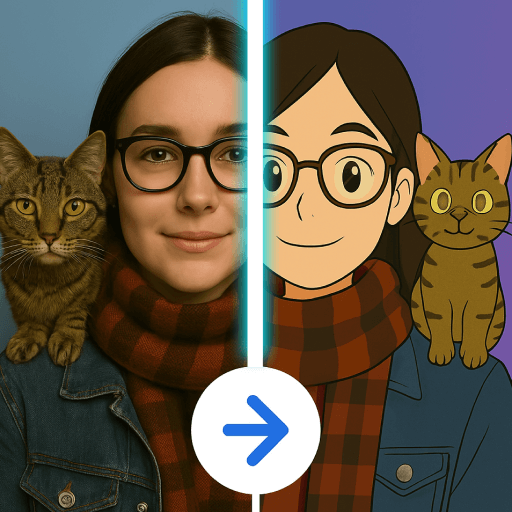
Cartoon Photo Editor ・Toon AI
CREATE IN SECONDS
• Photo → Cartoon: anime, comic, artistic vibes
• Baby Generator: 2 photos → cute baby look
• Age effects: make yourself look older or younger
• Muscle photo editor: make a person look more muscular
• Text → Image: describe any scene and generate it
• 1-Photo transforms: hairstyle, outfit, background, filters
• 2-Photo transforms: couple art, baby morph, mix styles
• Avatar Maker: profile pics for any platform
WHY TOONAI
• AI cartoon editor that's simple and fast
• 50+ styles and filters for any mood
• HD exports and no watermark
• Easily share on social apps
POPULAR USES
• Turn travel photos into cartoon postcards
• Make toon avatars for friends
• Imagine future baby faces just for fun
• Create artistic scenes and fantasy portraits
• Build posters, stickers, and profile art Cartoon Photo Editor ・Toon AI , a leading app in the Art & Design Apps category, boasts a robust user base with a total of 3B installs. It sees impressive engagement with 100M monthly installs and 7M daily installs, reflecting its popularity and usability. The app generates significant monthly revenue, indicative of its effective monetization strategies and user satisfaction. The app supports in-app purchases, allowing users to enhance their experience with additional features and content. Cartoon Photo Editor ・Toon AI was first released April 04, 2025, and has been continually updated, with the latest update rolled out just May 08, 2026. This commitment to regular updates ensures that users always have access to the latest features and improvements. The app and is currently on version 1.1.3. With 473 reviews, Cartoon Photo Editor ・Toon AI maintains a strong presence in the market, supported by numerous rating votes that attest to its reliability and effectiveness in helping users achieve their Top charts free play goals.
Stability Generative AI Art
Stability: Photo AI Maker Review
Experience unlimited creativity with Stability: Photo AI Maker. With one of the best AI photo generators, you can turn your ideas into beautiful pictures. With the most recent innovations in AI image technology, this tool lets you discover completely new worlds of art whether you are an artist, designer, or curious about sharpening your skills.The AI image generator makes your ideas come alive in pictures. Every image you design is one of a kind. Art is seamlessly mixed with technology in every picture you create. The combination of advanced algorithms and deep learning makes every image not only creative but also makes the system brilliant in redefining digital creativity.
📄 Stability: Photo AI Maker Key Features:📄
🎨 Artistic creation of images using AI photo generator;
🧠 Instant generation of detailed images with an AI image generator;
🖌️ Unlimited creative exploration with tools of generative AI art;
📷 Professional art creation using AI generator for pictures;
🌈 AI picture generator for realization of imaginative ideas;
⚙️ Color, lighting, and composition advanced customization;
🎨 High resolution and quick processing rendering for digital art;
💡 User friendly for beginners and also sophisticated for professionals.
Make Your Ideas Come to Live With Generative AI Art!
AI Generator For Pictures allows people to take simple ideas and create wonderful pieces of art. With Stability: Photo AI Maker, your ideas transform into expressive art in a matter of seconds! The AI Photo Generators does wonderful work by melding high precision with creativity, to craft pieces that are emotionally diverse, and one of a kind. It imaginatively goes beyond being an image creator to your personal AI artist!Limitless Artistic Expression: 🎨
Our AI Image Generators do an amazing job of capturing your imagination. Be it digital portraits, surreal landscapes, or futuristic designs, the AI Generators for pictures allows for a high degree of versatility. It provides an endless range of creative possibilities. You can test different styles, modify prompts and get your image just the way you want it.
Intelligent Image Creation: 🤖
Tap into the full potential of the AI Picture Generators to create visuals that truly reflect your identity as an artist. Stability Picture AI Maker advanced technology will help you to create high-quality and professional pictures in a short amount of time.
Personalized Artistic Experience: ✨
Every hour spent on Stability: Photo AI Maker feels like a new adventure! The AI Photo Generator learns your inputs and personal styles and adapts, to create the perfect match. The AI Image Generators establishes a predictable output pattern, while the Generative AI Art module serves as a boundless source to draw your attention for any creative undertaking.
Get Started With Stability: Photo AI Maker!
Embrace new styles of creativity using AI Picture Generator. Imagine what you can create with just a few words using the AI Generator For Pictures. With Stability: Photo AI Maker, you gain unparalleled artistic liberties powered by Generative AI Art. Creativity made easy—your masterpiece is just a few taps away. Stability Generative AI Art , a leading app in the Art & Design Apps category, boasts a robust user base with a total of 1B installs. It sees impressive engagement with 200M monthly installs and 15M daily installs, reflecting its popularity and usability. The app generates significant monthly revenue, indicative of its effective monetization strategies and user satisfaction. The app supports in-app purchases, allowing users to enhance their experience with additional features and content. Stability Generative AI Art was first released July 12, 2023, and has been continually updated, with the latest update rolled out just October 02, 2025. This commitment to regular updates ensures that users always have access to the latest features and improvements. The app and is currently on version 1.4.4. With 55 reviews, Stability Generative AI Art maintains a strong presence in the market, supported by numerous rating votes that attest to its reliability and effectiveness in helping users achieve their Top charts free play goals.
Canva: AI Photo & Video Editor
Edit photos & design anything with the AI art generator🖌️: Video editor, collage maker, meme maker, CV maker & logo maker – Canva is a simple & easy content creation app for anyone! 🎨
Canva features: AI art generator, photo editor and video maker
• Facebook posts, Instagram layout designs, banner maker, Instagram post-maker & Instagram reels maker.
• Professional invitation maker, flyers & resume templates.
• Display data with templates, presentations & slideshow maker.
AI EDITING APP 📷 – free, no ads, no watermarks
• Image editor to crop, flip, & edit photos. Background eraser and blur editor.
• Picture editor to adjust brightness, contrast, saturation, etc.
• Auto Focus to sharpen photo subject & blur background.
• Add text to photos in the picture editor.
• Use the photo grid, photo filters, photo layout & photo collage maker to create digital art.
AI VIDEO EDITOR 🎥 – create videos in a few taps
• Produce professional videos in the video editor with 5GB of cloud storage and real time collaboration.
• Explore video layout & audio tracks in the video maker.
• Crop, resize, and flip videos & images in the video editor.
• Easy video editing: Make images move with one-tap animations & page transitions in the video maker.
• Apply effects like slow motion and reverse playback, add subtitles to a video collage, or a new background to your green screen video.
• Magically sync edits to music with Beat Sync, for quick video editing
• Automatically translate captions to over 100 languages
• Add your favorite music tracks via Popular music* (regional restrictions apply)
SOCIAL MEDIA 📱 – make and match trendy content & graphic designs
• Design for Instagram, Snapchat, Facebook, YouTube or LinkedIn.
• Plan posts with Scheduler [Canva Pro].
• Use our banner maker for thumbnails & ads.
• Collage maker, picture editor & video maker to create photo grids & collages.
FREE CONTENT LIBRARY – over 2M+ assets
• 2M+ royalty-free images & photo filters
• Thousands of watermark-free videos to use in the video editor
• 25K+ pre-licensed audio & music tracks
• Add text on pictures in the photo editor with 500+ fonts & effects
• Or create your own images with our magic Text to Image tool
AI MAGIC BUILT-IN ✨ – Bringing magic and ease of use to your designs
We’ve supercharged design across the Visual Suite with incredible magical AI-powered capabilities. Including;
• Magic Design - Upload an image and let Canva make designs for you
• Magic Edit - Swap, or add anything to your existing images
• Translate - Automatically translate designs in 100+ languages
• Magic Eraser - Remove objects from any image.
CANVA PRO – The editing app to boost your graphic design
• Access premium templates, images, videos, logo maker, audio & graphic design elements + create stunning videos in the video editor
• One-click Background Remover & Magic Resize for photos and videos
• Brand Hub - Create logos with the logo maker, fonts, & colors
• Schedule posts for Instagram & Facebook
GRAPHIC DESIGN FOR EVERYONE 🎨
• Personal - Layout designs for Instagram templates, resumes, photo editor, photo collages, logo maker, video editor, etc.
• Entrepreneurs - Grow your business with our logo maker, video editor, poster maker & Magic Presentations.
• Students & teachers - Engage with presentations & worksheets
• Social Media Managers & Content Creators - Use the photo editor, logo maker, collage maker & video editor for brand visuals & mood boards Canva: AI Photo & Video Editor , a leading app in the Art & Design Apps category, boasts a robust user base with a total of 718B installs. It sees impressive engagement with 14B monthly installs and 380M daily installs, reflecting its popularity and usability. The app generates significant monthly revenue, indicative of its effective monetization strategies and user satisfaction. The app supports in-app purchases, allowing users to enhance their experience with additional features and content. Canva: AI Photo & Video Editor was first released November 27, 2017, and has been continually updated, with the latest update rolled out just May 06, 2026. This commitment to regular updates ensures that users always have access to the latest features and improvements. The app and is currently on version 2.359.0. With 1691068 reviews, Canva: AI Photo & Video Editor maintains a strong presence in the market, supported by numerous rating votes that attest to its reliability and effectiveness in helping users achieve their Top charts free play goals.