❯
- ❯Market Explorer
- ❯Collections
- ❯Chrome Extension
- ❯API
- ❯App timeline
- ❯Blog
- ❯Partners
Top Paid Finance Apps in Malaysia
Top 10 Apps

Hutang: Log Your Debt
Hutang: Log Your Debt
Hi! Introducing Hutang app - the easiest way to keep track of the money you owe and lend to. No more having to remember who owes you duit or who you have to pay back.
With Hutang app, you can:
- Easily keep track of the money you owe and lend to
- Set due date for the debt and get a reminder
- See summary of all your debt and loans
- Mark debt as "settled" once your friend pays you back
- Keep track of payments you made for the money you owe
Hutang app is perfect for students, officemates, or anyone who like to lend or borrow money to your friends or family. The app is simple to use - just enter the debt details, and Hutang app will take care of the rest.
Forget who you owe money to and how much? Your friend 'blur' about his debt to you? No problem! Hutang app will help you keep track of everything.
Download Hutang app now and start managing your pinjaman with kawan-kawan. Best giler app for Malaysians!
Hutang: Log Your Debt , a leading app in the Finance Apps category, boasts a robust user base .
It sees impressive engagement , reflecting its popularity and usability.
The app generates significant monthly revenue, indicative of its effective monetization strategies and user satisfaction.
The app supports in-app purchases, allowing users to enhance their experience with additional features and content.
Hutang: Log Your Debt was first released December 09, 2024, and has been continually updated, with the latest update rolled out just March 07, 2026.
This commitment to regular updates ensures that users always have access to the latest features and improvements.
The app and is currently on version 2.4.
Hutang: Log Your Debt maintains a strong presence in the market, supported by numerous rating votes
that attest to its reliability and effectiveness in helping users achieve their Top charts paid ios goals.

金十数据专业版-为交易而生
金十数据专业版-为交易而生
金十数据致力于成为国内专业的财经新闻软件和交易工具。提供全球7x24小时财经资讯,实时推送外汇、期货、A股、原油、贵金属、黄金、美股港股等财经快讯与行情报价,助力投资者更快更准地进行交易。
【财经快讯】
专属推送:自定义订阅内容,推送专属财经新闻快讯;
快讯分类:增加外汇、黄金、原油、美港股、A股股票和期货等快讯分类;
速度更快:坚守7x24小时财经快讯,致力于提供更快更全的金融市场消息。
【市场参考】
分类更精:为您分类鱼龙混杂的新闻,更贴近交易者的需求。
内容更优:金融市场一线头条新闻,深度优质财经好文,专业独家财经视频节目。
【行情走势】
新增商品外汇、A股与期货分类,交易品种覆盖更全!加入自选快速浏览所关注的品种。
【财经日历】
罗列每日重点财经数据或事件,开启定时提醒,重点交易行情不容错过。
【数据中心】
全球重要财经数据报告,新增自定义订阅报告功能,全新图表样式简洁清晰。
【视频栏目】
包括《伦敦交易者》《脱水期货》《海外交易员观点》《一杭说数据》《交易学院》等财经深度分析栏目,也有《嗨指数天团》《进击吧女神》《老板说的对》《数据可视化》等有趣好玩的泛财经视频栏目。
【其他】
金十数据在今日头条、新浪财经、一点资讯、搜狐新闻、网易新闻、腾讯新闻、UC新闻、百度新闻等热门新闻平台已有成熟的媒体号,每天同步更新优质原创财经新闻,捕捉新消息大事件,多渠道提供更全的财经资讯。
【联系我们】
微信公众号:金十数据
新浪微博:金十数据——https://weibo.com/igoldman
客服电话:020-89635666
客服QQ:800185710
金十数据专业版-为交易而生 , a leading app in the Finance Apps category, boasts a robust user base .
It sees impressive engagement , reflecting its popularity and usability.
The app generates significant monthly revenue, indicative of its effective monetization strategies and user satisfaction.
The app supports in-app purchases, allowing users to enhance their experience with additional features and content.
金十数据专业版-为交易而生 was first released May 05, 2017, and has been continually updated, with the latest update rolled out just March 17, 2026.
This commitment to regular updates ensures that users always have access to the latest features and improvements.
The app and is currently on version 6.35.5.
金十数据专业版-为交易而生 maintains a strong presence in the market, supported by numerous rating votes
that attest to its reliability and effectiveness in helping users achieve their Top charts paid ios goals.

Bills Monitor Pro
Bills Monitor Pro
If you are looking for a smart, full-featured and easy to use App to manage your bills, Bills Monitor is the one.
Use this app to ensure that never late to pay bills.
Bills Monitor - Bill Manager & Reminder is designed to manage all kinds of your bills. Log your bills in this app, you can track or check them from time to time visually and conveniently, also it will remind you to pay your bill after setting its reminding days. Bills Monitor will help to make your schedule easier and every bill in control.
The design and UI face is clear and tidy, which makes you manage the bills very easy and comfortable.
Features:
⁃ Calendar view of bills.
⁃ Indentify the state of bills by individual icon on them.
⁃ Add bills with their categories, amount, due date, pay account, recurring or not, recurring end date if available, paid amount, and note.
⁃ Remind when bill due date approaches or bills are over-due.
⁃ Mark payment to bills in full or in part.
⁃ Add recurring bills with frequency and end date conveniently.
⁃ Show number of unpaid overdue bills on icon.
⁃ Twenty system own categories and you can customize your own.
⁃ Report function to show categories (allocation) of bills by pie chart.
⁃ Customize period to email bills to your Financial Consultant or others in format of CSV, HTML or PDF.
⁃ Search your bills by key words of name, note, category, and account.
⁃ Passcode function to protect your info.
⁃ Supports Face ID as passcode.
⁃ Add account’s name, phone No., website, and note.
⁃ History to show all your bills.
⁃ Supports Wifi backup and restore.
⁃ Supports iCloud backup and restore.
⁃ Supports Dropbox backup and restore.
⁃ Supports Apple Watch version.
⁃ Supports Today Widget.
⁃ Supports 3D Touch function.
⁃ Supports both iPhone and iPad version.
If you have any question or suggestion, please send email to userfeed@vip.tom.com.
Bills Monitor Pro , a leading app in the Finance Apps category, boasts a robust user base .
It sees impressive engagement , reflecting its popularity and usability.
The app generates significant monthly revenue, indicative of its effective monetization strategies and user satisfaction.
The app supports in-app purchases, allowing users to enhance their experience with additional features and content.
Bills Monitor Pro was first released October 05, 2011, and has been continually updated, with the latest update rolled out just October 18, 2025.
This commitment to regular updates ensures that users always have access to the latest features and improvements.
The app and is currently on version 9.1.1.
Bills Monitor Pro maintains a strong presence in the market, supported by numerous rating votes
that attest to its reliability and effectiveness in helping users achieve their Top charts paid ios goals.

随手记Pro
随手记Pro
多赚会花每一天,记账就要随手记!海量账本模板,个人、家庭、生意账随心选。
记账快捷又专业,轻松管理多人记账。多维度账单解读,全面了解你的财务状况。
【特色亮点】
1、AI记账新体验
- 语音记账,开口就能记
- 图片识别批量记账,发送截图、小票自动记
- 快捷指令自动记账,消费后一键入账
2、记账看账一目了然
- 自定义记账键盘,快捷又专业
- 首页即报表,数据卡片及图表清晰呈现
- 多维度查看收支流水,搭配流水日历轻松补账
- 多账户管理,全面了解你的账户余额
3、多人协同,分工明确
- 多人共用一本账,家庭、团队协作更高效
- 角色权限可管理,员工记账老板看,权限分配专业严谨
4、安全可靠,功能丰富省心易用
- 云端存储多端同步,数据安全不丢失
- 账本操作必留痕,误删流水可恢复,安全又可靠
- 更有票据识别、预算、借贷中心等更多专业记账功能,一应俱全
【海量账本模板,陪伴你的各个人生阶段】
to成长中的你:
- 高中生、大学生账本:生活费聪明花,课外兼职也能记
- 班费账本:班委管钱大家看,班费收支更透明
to工作中的你:
- 差旅报销流水账:设定预算不超支,流水详尽不漏报
- 网约司机、健身教练、装修队长:职业账本专属定制
to爱生活的你:
- 合租、恋爱、生活账:日常生活随心记
- 旅游、宠物、爱好账:为自己所爱的事物,记录美好回忆
- 攒钱、健身、目标账:设定一个小目标,让账本陪你变成想要的样子
to创业中的你:
- 奶茶、快餐、餐饮业:店铺经营实用工具,员工记账权限可控
- 服装、代购、零售业:成本营收全把控,赊销应付不遗漏
- 培训、酒店、服务业:各行各业全覆盖,首页报表指导经营
to顾家的你:
- 人情账本、结婚账本:人情红包收入支出一览无余
- 儿童教育、宝宝账本:家人共享宝贝成长点滴
- 汽车、储蓄家庭账本:日常生活分类全,全家合记一本账
还有更多账本模板等你发现!
————献给热爱记账的你————
生活需要一点仪式感。 有人每天早上一定要喝一杯咖啡, 有人每天睡前一定要写两句日记, 也有人每天都把挣到的和花过的每一分钱记录下来 在快节奏的时代,扫一扫就完成付款,动动手指就能解决三餐、完成购物。 移动支付把生活中的花销从实实在在的钱变成了一串变动的数字,很多时候我们对于花钱没有了概念,甚至,想不起来把钱花在了哪里。 这时,需要消费后的用心记账,提高自己对钱的敏感度。 希望热爱记账的你梳理财务状况的时候可以沉浸在随手记这个"工作台"!
【联系我们】 使用过程中如遇问题,欢迎联系我们,可爱的客服妹纸会认真处理你的每一个反馈哦。
- 在线客服:"我的"-"求助反馈"-"在线咨询"
- 留言路径:"我的"-"求助反馈"-"意见反馈"
- 随手记官网:www.sui.com
- 随手记微信:suishoujicom
- 神象云账本微信:shenxiang_cloud
- 随手记服务条款:https://www.sui.com/help/agreement-mobile.html
- 随手记隐私政策:https://www.sui.com/help/privacy.jsp
如果您喜欢随手记,请在应用商店留下您的星星和评论,您的支持是我们进步的动力!
随手记Pro , a leading app in the Finance Apps category, boasts a robust user base .
It sees impressive engagement , reflecting its popularity and usability.
The app generates significant monthly revenue, indicative of its effective monetization strategies and user satisfaction.
The app supports in-app purchases, allowing users to enhance their experience with additional features and content.
随手记Pro was first released May 25, 2010, and has been continually updated, with the latest update rolled out just March 30, 2026.
This commitment to regular updates ensures that users always have access to the latest features and improvements.
The app and is currently on version 13.2.44.
随手记Pro maintains a strong presence in the market, supported by numerous rating votes
that attest to its reliability and effectiveness in helping users achieve their Top charts paid ios goals.

Money Pro: Personal Finance AR
Money Pro: Personal Finance AR
EASY BUDGET. Cut your expenses with Money Pro®!
Expense tracker, budget planner & account manager - all in one app to get your finances under control. Money Pro works great for personal & family expense tracking.
Easy sync and iPhone/iPad versions combined in one app. Money Pro is the next generation of the Money app (over 2 million downloads worldwide).
FEATURES:
Simple and Secure
- quick and easy expense/income entries: save your time
- password & backups of your data
Income and Expense Tracker
- split transactions: split one payment into multiple categories, keep it all organized
- search by amount, category, description, payee, cheque number, etc
- recurring expenses with custom periodicity
- calendar for scheduling bills and expenses for the whole year ahead
- notifications & alerts for bills due
- tracking expenses with family members and cross-platform syncing* (PLUS or GOLD subscription required)
- multiple profiles for organized tracking of personal and family finances
- attachment of receipt (or any other) photos: keep important bills captured
Budget Planner
- flexible structure of categories & subcategories with over 1,500 built-in icons
- custom periodicity: start your budget from any date
- visual indicators for budget spending
- transaction list for each category: access your bills with ease
- transferring the leftover of the previous budget period to the current one to limit your spending
- unique icons with your photos
Account Manager
- easy management of an unlimited number of accounts
- balance change history
- additional fields for organizing your records: payee, description, check #, class (personal/business travel expenses).
- import of bank statements (files: OFX, CSV)
- online banking (GOLD subscription required)
Insightful Analytics
- eight different reports
- filter customization
- quick and easy date selection
Augmented Reality
- build three-dimensional charts right on your table with AR reports (GOLD subscription required)
Goals
- set your goals and achieve them
- visualize your goal progress with a trend chart
- four Goal types: Save money, Pay off debt, Reduce expenses, Increase income (GOLD subscription required for last three)
More
- calculator and currency converter
- print and export to PDF, QIF, CSV formats
- multiple currencies & automatic update of exchange rates
- iCloud sync for iPhone, iPad, Mac (no subscription)
- support service & user guide (https://money.pro/guide/)
PLUS subscription
- 1 Month of PLUS: $4.99
GOLD subscription
- 1 Month of GOLD: $9.99
In all the countries (except the USA), actual charges will be converted to the local currency. Payment will be charged to iTunes Account at confirmation of purchase.
Subscription automatically renews unless auto-renew is turned off at least 24-hours before the end of the current period.
Account will be charged for renewal within 24-hours prior to the end of the current period, and identify the cost of the renewal. Any unused portion of a free trial period, if offered, will be forfeited when the user purchases a subscription to that publication, where applicable.
Subscriptions may be managed by the user, and auto-renewal may be turned off by going to the user's Account Settings after purchase.
Terms & Privacy
- http://ibearsoft.com/privacy.html
- http://ibearsoft.com/terms.html
Money Pro is a Universal app. Pay once and use it on your iPhone, iPad, and Apple Watch.
*See App Support for further details
Money Pro: Personal Finance AR , a leading app in the Finance Apps category, boasts a robust user base .
It sees impressive engagement , reflecting its popularity and usability.
The app generates significant monthly revenue, indicative of its effective monetization strategies and user satisfaction.
The app supports in-app purchases, allowing users to enhance their experience with additional features and content.
Money Pro: Personal Finance AR was first released October 22, 2014, and has been continually updated, with the latest update rolled out just April 01, 2026.
This commitment to regular updates ensures that users always have access to the latest features and improvements.
The app and is currently on version 2.11.26.
Money Pro: Personal Finance AR maintains a strong presence in the market, supported by numerous rating votes
that attest to its reliability and effectiveness in helping users achieve their Top charts paid ios goals.

AndroMoney
AndroMoney
[The one of best tools for keeping accounts, efficiently tracking each expense report]
AndroMoney is a personal finance tool for use on your mobile phone. By using this tool, we hope you can better manage your wealth.
We focus on:
1.Ease of use: keep it intuitive to operate
2.Powerful:daily accounting, managing categories, or even drawing detail reports, AndroMoney can easily manage it.
If you have any problems about how to use it or ideas about how to improve it, feel free to email us. We appreciate your feedback!
features
- Multiple accounts and currency support account balance & account transfer
- Cloud Storage (Dropbox , GDdrive)
- Any currency with downloadable rates
- Number pad with calculation
- Hierarchical categories with custom attributes
- Simple/ Detail / Custom Budgets
- Trend, Pie and Bar charts for Expense and Cash Flow
- Password Protection
- Overview your expense and income summary
- Back up data to Excel/ Mac Number
Manage your expense and money easily !
If you have problem please e-mail to us!
service@andromoney.com
Thank you!
AndroMoney , a leading app in the Finance Apps category, boasts a robust user base .
It sees impressive engagement , reflecting its popularity and usability.
The app generates significant monthly revenue, indicative of its effective monetization strategies and user satisfaction.
The app supports in-app purchases, allowing users to enhance their experience with additional features and content.
AndroMoney was first released August 05, 2013, and has been continually updated, with the latest update rolled out just March 22, 2026.
This commitment to regular updates ensures that users always have access to the latest features and improvements.
The app and is currently on version 1.9.20.
AndroMoney maintains a strong presence in the market, supported by numerous rating votes
that attest to its reliability and effectiveness in helping users achieve their Top charts paid ios goals.
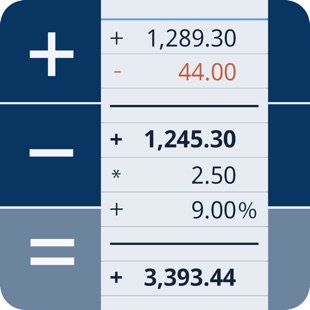
CalcTape Paper Tape Calculator
CalcTape Paper Tape Calculator
Calculator thought from scratch! Calculate, comment and correct instantly.
What happens if you combine a standard calculator App, a classic desktop calculator and a note App ?
CalcTape brings you the best of these and even more.
It is your companion for all daily calculation needs and easily masters all scenarios you can imagine.
CalcTape is NOT a scientific calculator app, but do we need these in daily use ?
Ever did a long calculation with many figures and asked yourself:
"Did I enter the last figure correctly ?"
"The result looks strange somehow !"
With CalcTape you keep an overview, can check all figures and correct figures instantly inplace with
all subsequent results being adjusted automatically !
Missed a figure ? No problem: Just insert it in the right place easily by entering a new line.
You can place the cursor everywhere you like in the calculation: It's like a note where
you can change anything you like in any place with the advantage, that changing numbers
or operators updates your calculation immediately!
CalcTape can be considered an "Excel Lite with a calculator interface".
You can also keep the calculation for your records (documents) and create templates:
Replacing the figures in your template and getting the correct results is a breeze.
Commenting figures and results gives sense to your calculations, so you can understand
what you did when viewing the calculation a month later.
Customize CalcTape to your needs and place only those buttons on your keypad that you really
need everyday. Create your own functions to e.g. add a specific percent rate with a tap on
a single button.
CalcTape features:
- Save your calculations into files
- Create own functions or text snippets to be entered when pressing a button (long press a button to enter the Button screen)
- Create own keypad layouts (change assignment of all buttons except numbers and backspace / change button sizes)
- Select between different keypad layouts (the "function keypad" contains no numbers and is nearly completely customizable)
to get more buttons or other functions, 2 keypads are directly accessible in the main screen
- Share your calculations using standard iOS sharing capabilities, e.g. email
- Sync your calculations with iPhone, iPad, Mac and PC using iCloud Drive.
- Calculate TAX, VAT and other percent values easily
- Use CalcTape for budget, accounting and expense tracking in the office and at home, everyday.
CalcTape, more than a calculator.
FAQ:
- Start a new calculation on the same sheet by simply tapping the "=" key twice.
- Do a long tap on a button to assign another existing function or to create a user function for it.
- If you accidentally hit "AC" you can use "Undo" to get your calculation back.
CalcTape Paper Tape Calculator , a leading app in the Finance Apps category, boasts a robust user base .
It sees impressive engagement , reflecting its popularity and usability.
The app generates significant monthly revenue, indicative of its effective monetization strategies and user satisfaction.
The app supports in-app purchases, allowing users to enhance their experience with additional features and content.
CalcTape Paper Tape Calculator was first released May 16, 2012, and has been continually updated, with the latest update rolled out just June 17, 2022.
This commitment to regular updates ensures that users always have access to the latest features and improvements.
The app and is currently on version 6.0.6.
CalcTape Paper Tape Calculator maintains a strong presence in the market, supported by numerous rating votes
that attest to its reliability and effectiveness in helping users achieve their Top charts paid ios goals.

Spent Pro: Spending Tracker
Spent Pro: Spending Tracker
Spent is your ultimate solution for streamlined expense tracking with a minimalist design, unbeatable affordability, and a built-in currency rates feature that lets you check your total net worth effortlessly.
STREAMLINED EXPENSE ENTRY
Effortlessly record your expenses in seconds. No clutter, no fuss — just enter the amount, choose transaction type, a category, and you're good to go!
SIMPLE AND INTUITIVE
Our minimalist approach means no unnecessary frills or complicated menus. Enjoy a clutter-free, user-friendly interface that gets straight to the point.
AD-FREE & AFFORDABLE
Say goodbye to expensive subscription fees and annoying ads. Spent is available for a single, low-cost payment, giving you peace of mind and value for your money.
BUILT-IN CURRENCY RATES
Stay on top of your finances by effortlessly converting expenses into your preferred currency. Monitor your total net worth with ease, even when dealing with multiple currencies.
IN-DEPTH REPORTS
Gain insights into your spending habits with comprehensive reports. Track trends, analyze patterns, and make informed financial decisions with ease. Your financial clarity journey just got even more insightful.
HOME SCREEN WIDGETS
Access your finances at a glance with customizable Home Screen widgets. Instantly view your budget, recent expenses, or balance without even opening the app. Stay informed and in control — right from your Home Screen.
BUDGET MANAGEMENT
Stay within your limits with Spent's Budget feature. Set budgets for each category and track your progress in real-time. Easily adjust your spending to hit your goals!
RECURRENT TRANSACTIONS
Effortlessly manage recurring expenses with Spent. Set up automated transactions, and let the app do the work for you. Never miss a payment and stay in control of your finances effortlessly.
PRIVACY-FIRST FINANCE
Spent champions your privacy. Rest assured, your financial data remains exclusively on your device — never uploaded, shared, or sold. Experience the ultimate peace of mind with Spent, where your financial management is private, secure, and entirely under your control.
DARK MODE
Protect your eyes during late-night expense tracking sessions with our eye-friendly dark mode. It's just one more way we prioritize user experience.
CONSTANT UPDATES
We're committed to improving your experience. Expect regular updates with new features and enhancements, all designed to make your expense tracking journey even smoother.
Why wait to simplify your financial life? Download Spent now and embark on a journey to financial clarity and freedom. With our easy-to-use interface and comprehensive expense tracking tools, managing your money has never been more straightforward or more secure. Don't let clutter and complexity hold you back. Get Spent today, and start making smarter financial decisions with just a few taps.
Spent Pro: Spending Tracker , a leading app in the Finance Apps category, boasts a robust user base .
It sees impressive engagement , reflecting its popularity and usability.
The app generates significant monthly revenue, indicative of its effective monetization strategies and user satisfaction.
The app supports in-app purchases, allowing users to enhance their experience with additional features and content.
Spent Pro: Spending Tracker was first released September 11, 2023, and has been continually updated, with the latest update rolled out just March 20, 2026.
This commitment to regular updates ensures that users always have access to the latest features and improvements.
The app and is currently on version 1.8.3.
Spent Pro: Spending Tracker maintains a strong presence in the market, supported by numerous rating votes
that attest to its reliability and effectiveness in helping users achieve their Top charts paid ios goals.

Bookkeeping
Bookkeeping
DOUBLE ENTRY BOOKKEEPING AND INVOICING FOR YOUR SMALL BUSINESS, NON-PROFIT, OR CLUB.
KEEPS WORKING EVEN WHEN THE INTERNET DOES NOT.
Your data stored on your device. We have no access to your data.
Pay by the month (with auto-renewable subscriptions) instead of an outright purchase.
FEATURES HIGHLIGHT:
No limit on the number of company books.
No limit on the number of transactions.
Synchronise between devices using your own Dropbox account.
Built in example book so you can explore the program before making a commitment with an auto-renewable subscription.
Bookkeeping is a self contained mobile bookkeeping and invoicing solution for your iPad and iPhone. It has multi-device synchronisation using Dropbox so you can work on your books on any of your devices no matter where you are or what iTunes account you use; and it supports as many or as few currencies as you need.
You just need basic bookkeeping knowledge to make use of the multitude of capabilities of this program.
Bookkeeping works with or without cellular coverage.
Bookkeeping works wherever you are.
Synchronise when you get cellular/WiFi coverage again.
With Bookkeeping you have a fully functional program right on your iPad and iPhone.
Bookkeeping has been used in over 40 countries including the USA, Australia, United Kingdom, Canada, and South Africa.
Some of the Bookkeeping features …
- Configure separate Company books for each company you operate
- No limit to the number of Transactions
- Invoicing , Quotations , RFQs , Purchase Orders
- Email or Print all Invoices, Quotes, Orders, and Reports in convenient PDF format
- Adjustments, Returns, Refunds
- Supports non-standard financial periods
- Recurring transactions
- Cheque Book, Deposit Book, Bank Transfers
- Bank Reconciliation
- Import Bank Transactions
- General Journal
- Expense Budgeting
- Configurable sales tax codes (Sales Tax, VAT Tax, Goods and Service Taxes, etc)
- Multiple sales taxes per line item
- Complex sales taxes (e.g. Canadian PST+GST, Philippines)
- Calculate levies, duties, importation taxes
- Calculate credit card merchant fees deducted from payments
- Dropbox integration
- Products, Services, & Inventory
- Separate product prices per currency
- Automatic Cost of Goods Sold calculations
- Share Portfolio
- Multi-Currency Support
- Foreign currency transactions
- Foreign currency bank accounts
- Search
- Job Tracking
- Bank Reconciliation
- Departments & Trading Names
- Multi-Device Synchronisation
- Configuration options to tailor to your needs
- 47 PDF Reports (Trial Balance, Balance Sheet, Profit & Loss, etc)
- Taxable Payments Reporting for the Australian Building and Construction industry
- Australian BAS Worksheet reporting
- Built in tax codes for Australian GST
- Support for WET (Wine Equilisation Taxes)
- GST Compliant Adjustment Notes
Purchase an auto-renewable subscription to be able to enter data into this program. If you do not have a valid auto-renewable subscription, then you can load the example book and can view the information in the books. However you are required to purchase and maintain an auto-renewable subscription to enter data into the program. Payment will be charged to your iTunes Account at confirmation of purchase. The subscription automatically renews unless auto-renew is turned off at least 24-hours before the end of the current period. Your account will be charged for renewal within 24-hours prior to the end of the current period, and identify the cost of the renewal. Subscriptions may be managed by you and auto-renewal may be turned off by going to your iTunes Account Settings after purchase.
The EULA, Terms of Service, and Privacy Policy can be found in the About screen of this application and on our website.
Privacy Policy: https://bookkeeping.warby.com/Privacy
Terms of Use: https://bookkeeping.warby.com/Terms
End User License Agreement: https://bookkeeping.warby.com/EULA
Bookkeeping , a leading app in the Finance Apps category, boasts a robust user base .
It sees impressive engagement , reflecting its popularity and usability.
The app generates significant monthly revenue, indicative of its effective monetization strategies and user satisfaction.
The app supports in-app purchases, allowing users to enhance their experience with additional features and content.
Bookkeeping was first released February 24, 2010, and has been continually updated, with the latest update rolled out just October 28, 2025.
This commitment to regular updates ensures that users always have access to the latest features and improvements.
The app and is currently on version 26.0.2.
Bookkeeping maintains a strong presence in the market, supported by numerous rating votes
that attest to its reliability and effectiveness in helping users achieve their Top charts paid ios goals.

Money Manager (Remove Ads)
Money Manager (Remove Ads)
“Money Manager” is an optimized application for personal account management.
Household account management is complicated. But we make it simple by simplifying the things that are complex. The default settings will get you started, and once you get used to it, you can alter the settings according to your needs with the highly flexible and customizable functions available.
- Super easy and simple to enter data anytime, anywhere.
- View your spending tendencies graphically.
- View statistics by simply entering the data.
- Search and calculator functions.
- Set up sub-categories and main categories as necessary.
- Manage all your accounts at once.
- Use multiple currencies.
- Check weekly, monthly, and annual statistics.
- Use calendar view.
- Use budget planning features to plan weekly, monthly, and annual budgets.
- Change the start date of the month.
※ Applying double entry bookkeeping
It facilitates efficient account management. Automatic double entry bookkeeping.
※ PC manager function
You can view ‘“The New Money Manager” application using Wi-Fi. You can edit and sort the data by date, category or account group on the screen of your PC. In addition, you can see fluctuations of your accounts indicated on graphs on your PC.
※ Budget management function
You can manage your budget. It shows your budget and expenditures on a graph so you can compare the number of your expenditures against your budget quickly.
※ Credit Card / Debit Card management function
When entering a future payment date, you can see the payment amount and outstanding balance on the accounts page. You can connect your debit card to your accounts so that expenses are automatically recorded under a specific account.
※ Passcode
You can specify the desired time lapse before the app requests a passcode.
※ Automatic money transfer and frequency functions
You can set up automatic money transfers between your accounts and configure the frequency of those transfers.
※ Sort expenses by the recipient
You can sort your expenses by the recipient and view this information graphically.
※ Payment Profiles
You can easily enter frequent expenditures by creating payment profiles.
※ Backup / Restore
You can backup and restore your data via email, iTunes and iCloud.
※ Multiple currency support – you can have individual entries in multiple currencies, and configure each account to calculate the total balance in your desired currency.
Subscription pricing and terms:
Money Manager offers auto-renewing monthly subscription at US$2.49/month and an auto-renewing yearly subscription at US$19.99/year to provide you with unlimited access to the Money Manager Data Sync Service while you maintain an active subscription.
Payment will be charged to the credit card connected to your iTunes Account when you confirm the initial subscription purchase.
Subscriptions automatically renew unless auto-renew is turned off at least 24-hours before the end of the current subscription period. Your account will be charged for renewal within 24-hours prior to the end of the current period, and the cost of the renewal will be identified.
You may manage your subscription and auto-renewal may be turned off by going to your Account Settings after the purchase.
Read more about our terms and conditions here:
https://realbyteapps.com/policy/terms.html
Privacy Policy:
https://realbyteapps.com/policy/privacy.html
Money Manager (Remove Ads) , a leading app in the Finance Apps category, boasts a robust user base .
It sees impressive engagement , reflecting its popularity and usability.
The app generates significant monthly revenue, indicative of its effective monetization strategies and user satisfaction.
The app supports in-app purchases, allowing users to enhance their experience with additional features and content.
Money Manager (Remove Ads) was first released October 04, 2012, and has been continually updated, with the latest update rolled out just October 20, 2025.
This commitment to regular updates ensures that users always have access to the latest features and improvements.
The app and is currently on version 2.12.3.
Money Manager (Remove Ads) maintains a strong presence in the market, supported by numerous rating votes
that attest to its reliability and effectiveness in helping users achieve their Top charts paid ios goals.