
Clothes Maker: Create & Edit
Best Skin Creator & Editor: Avablox Images and Marketing Description






Skin Creator & Editor: Avablox
Create and customize your skins and avatars for your favorite games—fast, stylish, and fun. Avablox combines a powerful character editor and a clothing builder so you can bring any idea to life: from minimal looks to bold sticker-and-print collections. Save, export, and share your results in just a few taps.
What Avablox can do
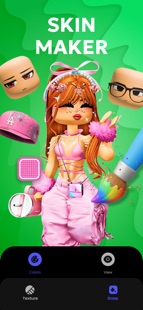
- Full character editor: heads, bodies, legs, accessories, and backgrounds—build a unique look from scratch.
- Avatar clothing: create T-shirts, shirts, pants, suits, and set outfits.
- Layer system: combine base colors, textures, and stickers without limits.
- Template library: hundreds of ready-to-use bases for a quick start—from simple shapes to trending styles.
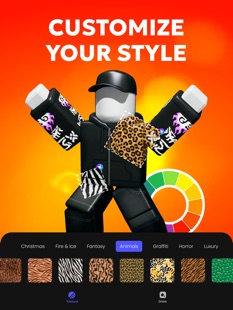
- Textures & prints: fabrics, patterns, gradients, effects—make clothes look “alive.”
- Stickers & details: hoods, pockets, laces, badges, patches, chains, and more—adjust size, angle, and opacity.
- Editing tools: brush, eraser, fill, eyedropper, copy/paste, undo/redo.
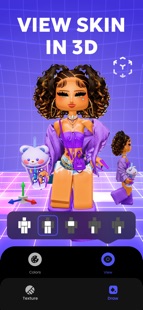
- Real-time 3D preview: rotate the avatar and check fit and readability from different angles.
- Export & sharing: save to PNG and share designs in seconds.
- Smart tips: step-by-step instructions for importing skins and clothes into the game.
Modes
- Quick Editor: build a great look in minutes—perfect for beginners and fast experiments.
- Advanced Mode: full layer control, precise drawing tools, and flexible texture workflow.
Why Avablox
- Intuitive interface—start creating right away, no complex software needed.
- Unlimited sandbox—save as many projects as you like and return to them anytime.
- Store-ready output—clean PNG files, crisp edges, and a neat grid.
Who it’s for
Perfect for newcomers to avatar styling and experienced creators building full collections for friends and the community.
How to start
1. Choose a template or a blank canvas.
2. Set base colors and materials.
3. Add stickers, prints, and accessories.
4. Check everything in the 3D preview.
5. Export and follow the in-app import guide.
Important: Avablox is a fan-made tool for players and creators. It is not affiliated with Roblox Corporation. All trademarks, names, and logos are the property of their respective owners.
Ready to stand out? Install Skin Creator & Editor: Avablox and craft a look that’s instantly recognizable!
Skin Creator & Editor: Avablox Revenue and Downloads
Measure Skin Creator & Editor: Avablox performance and get insights with AppstoreSpy data you won’t find anywhere else using our Analytics, Revenue Stats ans Trends.
Skin Creator & Editor: Avablox Global Top Charts: Interactive Map of Country and Category Rankings
Skin Creator & Editor: Avablox Revenue and Installs Distribution by Countries
Skin Creator & Editor: Avablox Changelog

App contains SDKs
Skin Creator & Editor: Avablox Ad сreatives

