
Draw as you like, how you like
Best Clip Studio Paint for iPhone Images and Marketing Description


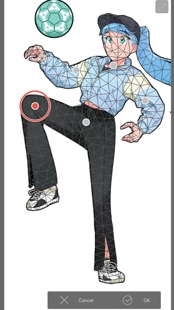


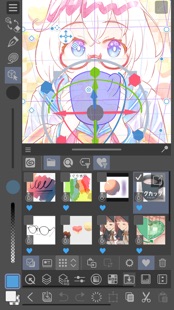


Draw with unlimited features for free for 30 hours monthly with no ads!
Now with new, powerful features!
Clip Studio Paint makes drawing a piece of cake, in any style!
Whether you are a beginner or a pro, Clip Studio Paint will improve every aspect of your art experience, while helping you grow as an artist.
Unlimited amount of brushes at your fingertips to recreate any style
- Use brushes with the same textures as real art materials
- Adjust details such as brush shape and paper quality to your liking
- Make unique colors with realistic color mixing, like traditional paints
- Draw with transparency to erase, so no need to switch brushes
Countless artist-made materials
- Level up your art with free materials, for backgrounds and more
- Discover community-made brushes from creators worldwide
- Add details with materials like frills and more
Coloring made easy
- Easily color even with line gaps using the magnetic lasso tool
- Lock transparency to paint over layers without affecting other areas
- Set light source and shadow position with Shading Assist
- Instantly reference and apply colors from an image to your art using Color Match
- Enhance your art with filters like Chromatic Aberration, Retro Film, Pencil, and more
Learn alongside other creators
- Loads of official tutorials and creator tips available
- Watch tutorials on the Clip Studio Paint YouTube channel, for step-by-step advice
- Ask questions on the Clip Studio Ask community
Create the perfect reference with 3D models
- Use 3D drawing figures to help out your anatomy
- Customize character face and body models with beginner-friendly tools
- Attach 3D objects like hats and shoes to characters for more specific references
- Use 3D shapes to draw perspective
- Use snap to quickly place objects on your canvas
Adjust after you draw
- Liquify to make adjustments to the balance of your illustrations
- Mesh Transformation allows you to transform to different shapes
- Change up the poses of your character drawings with Puppet warp
- Non-destructive color adjustment layers to get your art just right
- Gradient maps give color to your grayscale illustrations
Stress-free layer features
- Assign colors and make multiple columns of layers to browse them at a glance
- Enjoy the freedom of masking and clipping on multiple layers to edit and move your work
- Add various effects to apply to the layer in a non-destructive way
The ultimate comic creation app
- All the tools you need for comic creation, from sketches to finishing touches
- Panel frames, speech balloons, text, effect lines, and screen tones in an instant
- Make high-resolution print data (6 GB+ memory recommended)
- Manage multi-page projects
Professional animation, on any device
- Use all the same tools as animation studios
- Unique features allow you to draw your frames as you like
- Enjoy a pencil and paper look and feel, but digitally
- Expand your drawings to 4K resolution without losing quality by saving it as vector data
●Grade features
・FREE: 30 hours/month
・PRO: All the tools you need to create stunning illustrations & short animations
・EX: All the above + multi-page functionality for comic/manga artists and unlimited animation frames
*Clip Studio account needed to buy a plan.
● Target Devices and Specifications
・Minimum free storage space: 3GB, 4GB recommended
・Recommended display size: 5.5"+
Please see the following for supported devices.
https://support.clip-studio.com/en-us/faq/articles/20200154
You can use the app fully for free for up to 30 hours each month.
After this free period has ended, please purchase a plan to:
- Save your canvas
- Export your data in various file formats on iPhone and more
Smartphone plan:
PRO: US$0.99 per month, get an annual plan for up to 5 months' worth of savings!
EX: US$2.49 per month, get an annual plan for up to 5 months' worth of savings!
Clip Studio Paint End User License Agreement
https://www.celsys.com/en/information/csp/
Clip Studio Paint for iPhone Revenue and Downloads
Measure Clip Studio Paint for iPhone performance and get insights with AppstoreSpy data you won’t find anywhere else using our Analytics, Revenue Stats ans Trends.
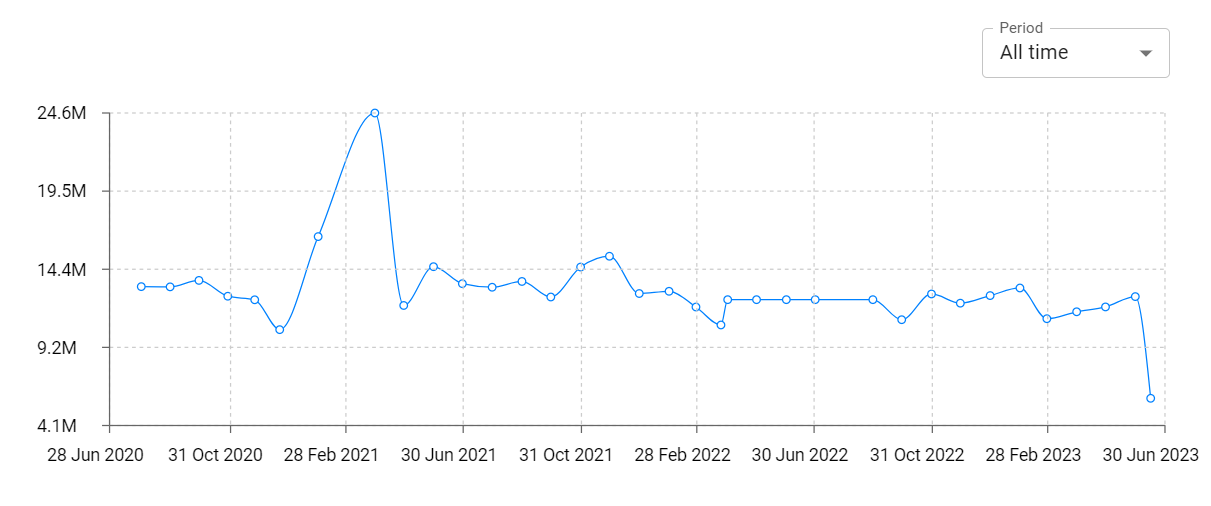
Clip Studio Paint for iPhone Global Top Charts: Interactive Map of Country and Category Rankings
Clip Studio Paint for iPhone Revenue and Installs Distribution by Countries
Clip Studio Paint for iPhone Changelog

App contains SDKs
Clip Studio Paint for iPhone Ad сreatives

Clip Studio Paint for iPhone Paywalls

