
Image to PDF - JPG to PDF
Convert photos & JPGs to PDF fast with a simple, powerful image to PDF converter
4.9 ★
Convert photos & JPGs to PDF fast with a simple, powerful image to PDF converter
Best Image to PDF - JPG to PDF Images and Marketing Description


Fast, Secure & Offline — Convert JPG, PNG & Images to PDF in Seconds.
Image to PDF Converter
Turn your images into clean, professional documents in seconds. With Image to PDF Converter, you can quickly convert JPG to PDF, PNG to PDF, or use this simple pic to PDF converter to merge photos into PDF directly on your device — fully offline and without uploading your files anywhere.
Whether it’s notes, receipts, IDs, assignments, or scanned pages, this reliable image to PDF converter helps you convert images to PDF with high-quality results instantly.
⭐ Why Choose This Image to PDF Converter?
Convert images to PDF offline — files never leave your device
Supports JPG, PNG, JPEG, WEBP formats
Create single-page or multi-page PDF documents
High-quality output with fast performance
Designed for students, professionals & everyday users
Perfect for quick JPG to PDF, photo to PDF, and image to PDF conversion tasks.
🔥 Powerful Features
🔹 Image to PDF Converter
Convert photos, documents, pages, or any image into a polished PDF. Export JPG to PDF, PNG to PDF, or combine multiple photos to PDF in one file using this fast image to PDF converter.
🔹 Merge & Rearrange Pages
Import several images and merge them into a single PDF. Easily rearrange page order using drag-and-drop — ideal for multi-page image to PDF documents.
🔹 Crop, Rotate & Adjust Images
Use built-in editing tools to crop, rotate, mirror, or resize images before you convert image to PDF for better formatting.
🔹 Customize PDF Output
Choose margins, orientation, paper size (A4, Legal, Letter) and adjust image quality. Great for creating compact or high-resolution PDFs from JPG or PNG files.
🔹 Password-Protect PDF Files
Add a password to secure confidential PDFs before sharing.
🔹 Built-In PDF Viewer
Open, preview, and read your PDFs with the integrated PDF reader — fast scrolling, zooming, and clean viewing.
🔹 All Document Viewer
View a variety of document types including PDF, DOC, PPT, XLS, and TXT. (Editing applies to PDF layout settings only.)
🔹 File Manager
Rename, sort, delete, or organize your PDF files effortlessly.
🔹 Pic to PDF Conversion
Quickly turn any picture, screenshot, or scanned page into a PDF. This pic to PDF converter workflow is simple and ideal for receipts, forms, and notes.
🔹 PDF Converter Tools
Use essential PDF tools without login. A reliable photo to PDF converter and PDF maker for everyday document needs.
👨🏫 Perfect For:
Students submitting handwritten notes or assignments
Professionals sharing bills, invoices, forms, or work documents
Freelancers & small businesses digitizing receipts
Anyone needing quick JPG to PDF or pic to PDF converter features
Creating PDFs for IDs, certificates, sketches, artwork, agreements, and more
🔐 Secure, Private & Always Offline
Your privacy matters — all conversions happen offline, and your files are never uploaded or shared. Everything stays on your device.
🚀 Easy, Fast & Made for Everyday Use
✔ Beginner-friendly design
✔ Smooth multi-image PDF creation
✔ Reliable image to PDF converter for all major formats
✔ Built-in PDF maker for single or multi-page files
✔ Clean & lightweight
✔ Consistent results every time
📥 Download Now — Fast & Secure Image to PDF Conversion
Create high-quality PDFs instantly using the powerful Image to PDF, JPG to PDF, and Photo to PDF converter — all offline and easy to use.
Image to PDF - JPG to PDF Revenue and Downloads
Measure Image to PDF - JPG to PDF performance and get insights with AppstoreSpy data you won’t find anywhere else using our Analytics, Revenue Stats ans Trends.
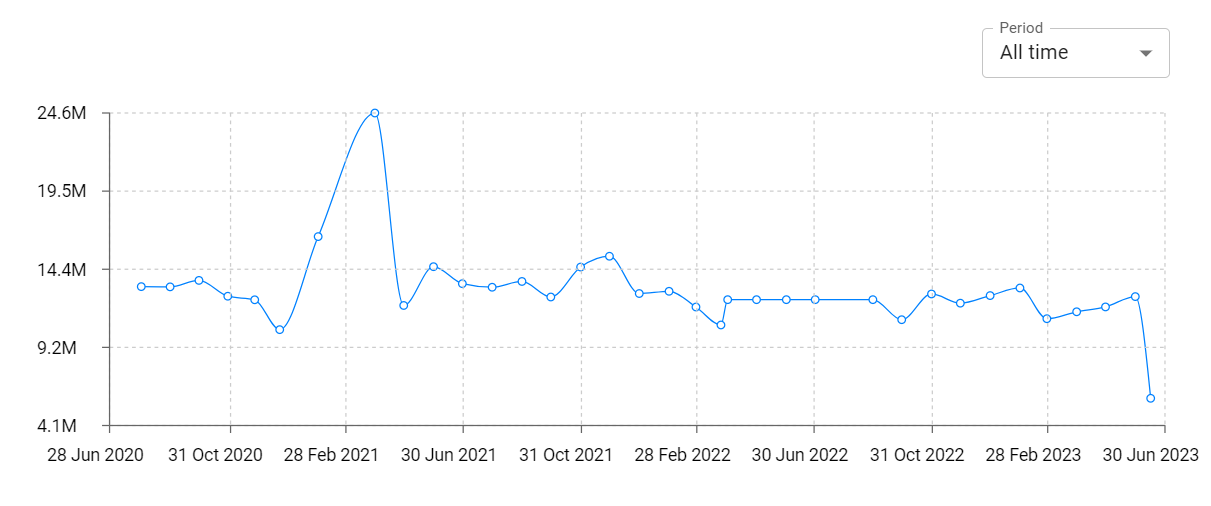
Image to PDF - JPG to PDF Total Installs and Downloads charts
Explore Image to PDF - JPG to PDF Total Installs to gain a deeper understanding of the app
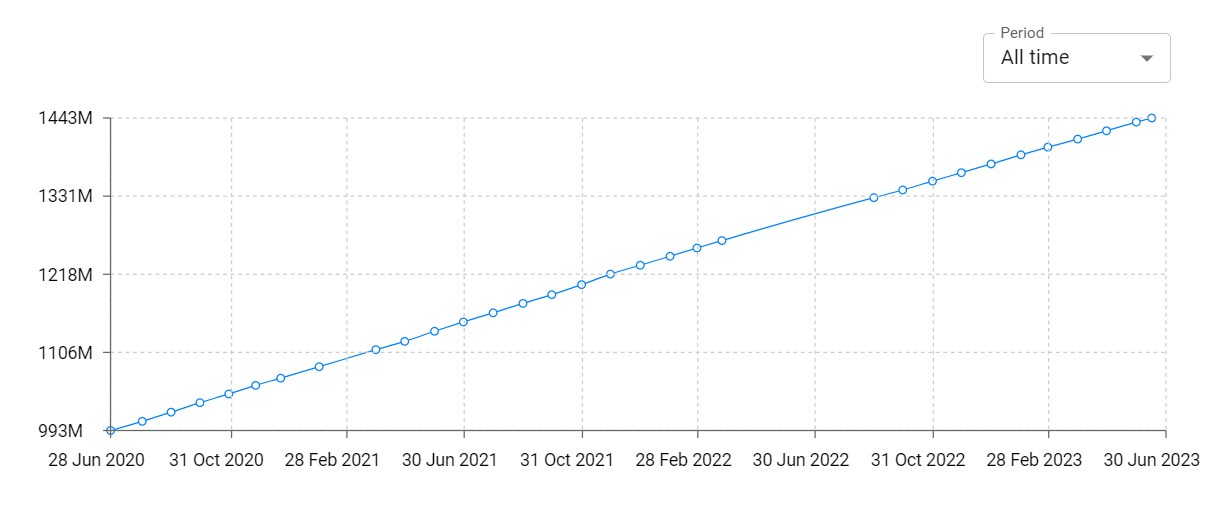
Image to PDF - JPG to PDF Daily Installs and Downloads charts
Explore Image to PDF - JPG to PDF Daily Installs to gain a deeper understanding of the app
Image to PDF - JPG to PDF Global Top Charts: Interactive Map of Country and Category Rankings
Image to PDF - JPG to PDF Revenue and Installs Distribution by Countries
Image to PDF - JPG to PDF Changelog

