
Harmony with red, black and white colors
Best Everything Adaptive Icons Images and Marketing Description


Everything Adaptive Icon Pack brings the iconic style to your home screen with beautifully crafted adaptive icons that change shape. Designed with a perfect harmony of red, black, and white, it complements both light and dark wallpapers effortlessly.
FEATURES:
• 5600+ Premium adaptive icons
• 13 Kustom widget
• Cloud-based Wallpapers that perfectly match the icons
• Icon request tool
• Regular Updates
How to use this Icon pack?
• Install a supported Launcher
• Open Everything Adaptive Icons, go to Apply section and Select Launcher to apply. If your launcher is not in a list make sure you apply it from your launcher settings.
How do I change to light / dark mode?
After changing device theme to light / dark, you need to reapply icon pack (or apply another icon pack, and then this one immediately).
SUPPORTED LAUNCHERS:
• Nothing Launcher
• Nova Launcher
• Lawnchair Launcher v2
• Niagara Launcher
• Smart Launcher 6
• Rootless Pixel Launcher
• Shade Launcher
• Lean Launcher
• Hyperion Launcher
• Posidon Launcher
• Action Launcher
• Stario Launcher
• Ruthless Launcher
• Motorola Launcher
Colors Changing Automatically only with:
• Lawnchair 12.1 latest Dev version
• Hyperion Beta
• Niagara Launcher
• Stario Launcher
• Smart Launcher 6
DISCLAIMER
• Dark mode only works on Android 10 and above devices!
• You need to re-apply icon pack to change to light / dark mode. Except Lawnchair 12.1 latest Dev version, Hyperion Beta, Niagara, Smart Launcher 6 or Stario Launcher
• If you can't change the shape of the icon, you NEED a custom launcher that can do that.
• A supported launcher is required to use this icon pack!
• In Pixel Launcher (stock launcher in Pixel devices) work with app Shortcut Maker.
• In Stock One UI Launcher use Theme Park.
• Kustom Widgets requires KWGT and KWGT PRO app (paid app)! It won't work without KWGT PRO.
• This app is not developed by NOTHING.
• FAQ section inside the app which answers a lot of questions you may have. Please read it before you emailing your question.
CONTACT ME:
Twitter: https://twitter.com/narikdesign
Telegram: https://t.me/narikdesign
Instagram: https://www.instagram.com/narikdesign
Everything Adaptive Icons Revenue and Downloads
Measure Everything Adaptive Icons performance and get insights with AppstoreSpy data you won’t find anywhere else using our Analytics, Revenue Stats ans Trends.
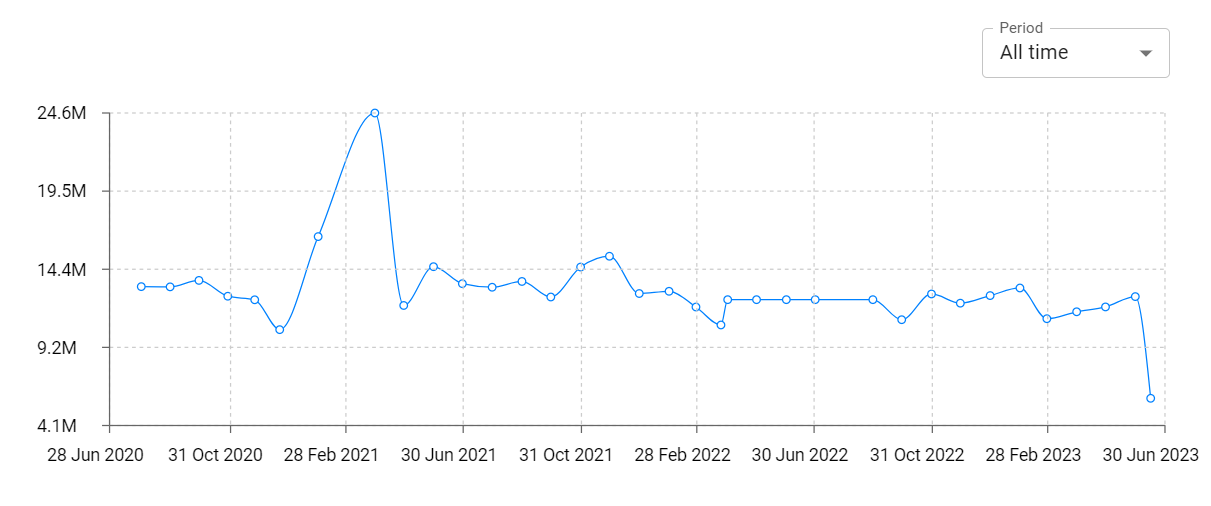
Everything Adaptive Icons Total Installs and Downloads charts
Explore Everything Adaptive Icons Total Installs to gain a deeper understanding of the app
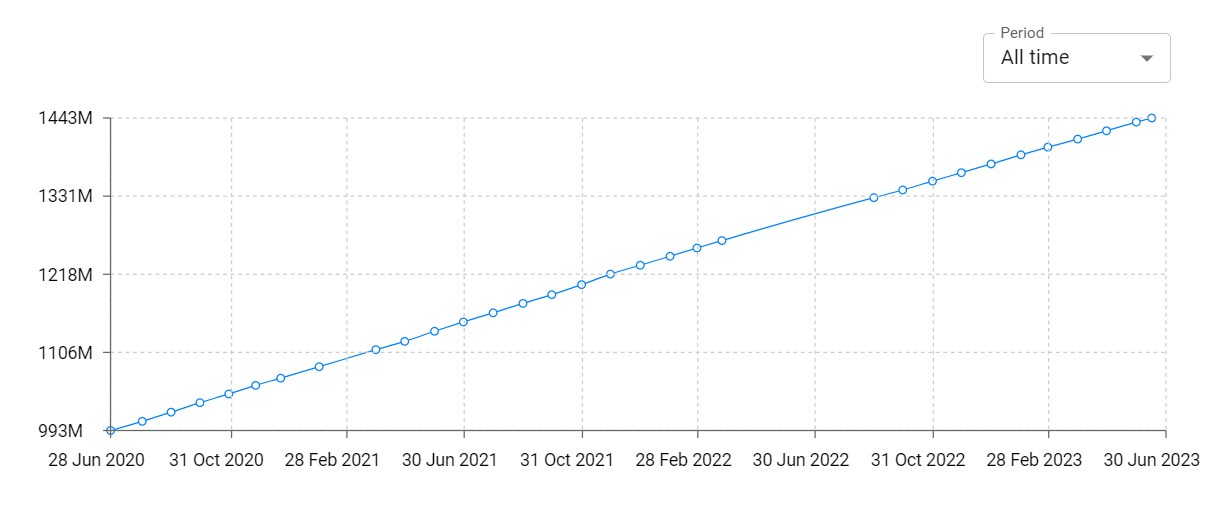
Everything Adaptive Icons Daily Installs and Downloads charts
Explore Everything Adaptive Icons Daily Installs to gain a deeper understanding of the app
Everything Adaptive Icons Global Top Charts: Interactive Map of Country and Category Rankings
Everything Adaptive Icons Revenue and Installs Distribution by Countries
Everything Adaptive Icons Changelog

