
S4U Assen - Hybrid watch face
A realistic hybrid watch face with many customization options.
4.6 ★
A realistic hybrid watch face with many customization options.
Best S4U Assen - Hybrid watch face Images and Marketing Description


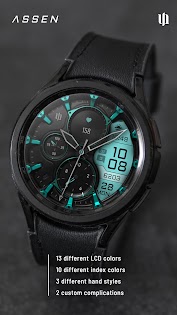


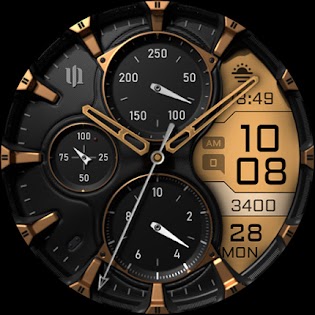


Enhance your Wear OS experience with the S4U Assen. A realistic analog watch face with an additional LCD screen to display some useful information. You can customize the colors, hands and have the option to set additional complications.
✨ Key Features:
- Realistic hybrid dial (digital and analog design elements combined).
- Color customization (13 LCD colors and 10 index colors).
- 4 custom complications (for user-defined data).
- 3 custom shortcuts to access your favorite widget
- 4 custom clock hands
- 2 custom small hands
- 3 AOD brightness levels
- Watch face displays time, steps, heart rate, day of the week, day of the month, number of unread messages + 2 custom complications
****
⚠️ IMPORTANT: Compatibility & Installation
This app is optimized for the new Watch Face Format regarding Wear OS 5 (API 34+). Compatible devices include:
- Samsung Galaxy Watch 8, Ultra, 7, 6 , 5, 4 (Wear OS 5 update required)
- Google Pixel Watch Series
- Other Wear OS 5+ smartwatches
(Note: Only devices running Wear OS 5 or higher are supported!)
If you experience any issues with installation or downloading:
1. Ensure your watch is updated to the latest Wear OS version.
2. Open the companion app provided with your purchase.
3. Follow the steps in the Install/Issues section.
Still need help? Email me at wear@s4u-watches.com.
****
🌙 Always-On Display (AOD)
The dial has an always active display. You can change the brightness level in the customization menu. There are 3 levels in total.
The colors are synchronized with the normal view.
With the new option “AOD Layout” in the customization menu, you can now change the AOD to a minimal layout.
Important Notes:
- Using AOD will reduce battery life, depending on your smartwatch's settings.
- Some smartwatches may automatically dim the AOD display based on ambient light conditions.
****
🎨 CUSTOMIZATION OPTIONS
1. Press and hold your finger at center on the watch display.
2. Press the button to adjust.
3. Swipe left or right to switch between the different customizable items.
4. Swipe up or down to change the options/color of the items.
Available Customization Options:
Color: 30 themes - 13 colors (LCD display and hand color)
Index colors: 10
Ring colors: 10
Hands: 4 styles
Small hands: 2 styles
LCD Layout: Digital Time or Date
AOD brightness: 3 level
Complications: 4 custom complications, 3 shortcuts
Additional functionality:
+ tap the battery indicator to open battery details
(not supported by every smartwatch)
****
⚙️ COMPLICATIONS & SHORTCUTS
Enhance your watch face with customizable app shortcuts and complications:
- App Shortcuts: Link to your favorite widgets for quick access.
- Editable Complications: Display the data you need most by customizing the visible values.
1. Press and hold the watch display.
2. Push the customize button.
3. Swipe from right to left until you reach the "complications".
4. 3 app shortcuts and 4 custom complications are highlighted. Click on them to make the desired settings.
****
📬 Stay Connected
If you enjoy this design, be sure to check out my other creations! I’m constantly working on new watch faces for Wear OS. Visit my website to explore more:
🌐 https://www.s4u-watches.com
Feedback & Support
I’d love to hear your thoughts! Whether it’s something you like, dislike, or a suggestion for future designs, your feedback helps me improve.
📧 For direct support, email me at: wear@s4u-watches.com
💬 Leave a review on the Play Store to share your experience!
Follow Me on Social Media
Stay up to date with my latest designs and updates:
📸 Instagram: https://www.instagram.com/matze_styles4you/
👍 Facebook: https://www.facebook.com/styles4you
▶️ YouTube: https://www.youtube.com/c/styles4you-watches
🐦 X: https://x.com/MStyles4you
S4U Assen - Hybrid watch face Revenue and Downloads
Measure S4U Assen - Hybrid watch face performance and get insights with AppstoreSpy data you won’t find anywhere else using our Analytics, Revenue Stats ans Trends.
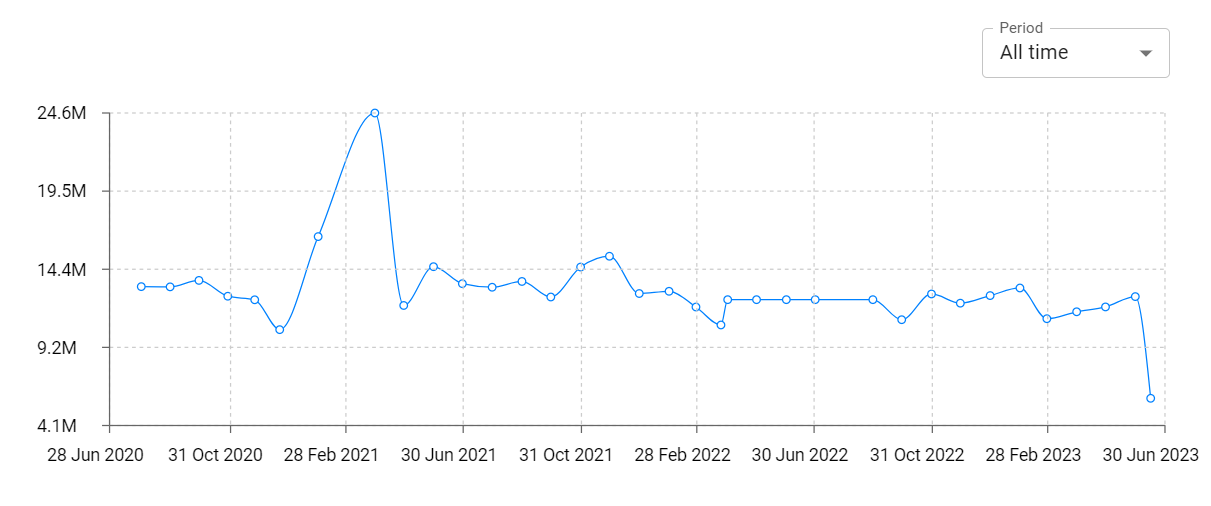
S4U Assen - Hybrid watch face Total Installs and Downloads charts
Explore S4U Assen - Hybrid watch face Total Installs to gain a deeper understanding of the app
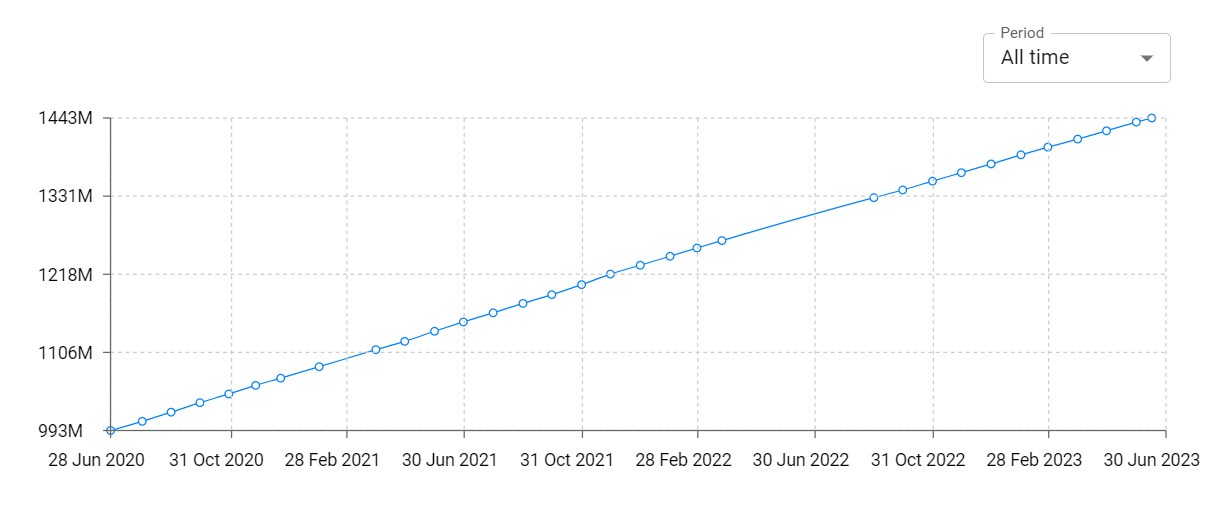
S4U Assen - Hybrid watch face Daily Installs and Downloads charts
Explore S4U Assen - Hybrid watch face Daily Installs to gain a deeper understanding of the app
S4U Assen - Hybrid watch face Global Top Charts: Interactive Map of Country and Category Rankings
S4U Assen - Hybrid watch face Revenue and Installs Distribution by Countries
S4U Assen - Hybrid watch face Changelog

