
The unique app that changes language on the fly!
Best Auto TTS Images and Marketing Description


- You listen ebooks, websites in different languages and switching text-to-speech (TTS) engines makes you bored.
- You are blind or vision-impaired user and use TalkBack to interact with your devices. Switching TTS engines every time when arriving on ebooks/websites/applications in differrent language is too difficult for you.
- You are developing multilingual application and confused about managing TTS engines with their supported languages.
Auto TTS can help you!
Auto TTS has special switching mechanism with state-of-the-art auto language detection feature and helps switching to appropriate TTS engine according to auto-detected language of input text.
Auto TTS is fully compatible to standard Android Text To Speech Interface and can work with TalkBack, other TTS engines, web readers, eBook readers... without any problem.
Requirements:
- Auto TTS requires Android 4.0 or later.
- Auto TTS uses system Text-To-Speech engines for reading. So, you have to install appropriate TTS engine(s) for your languages.
How to use:
- Install Auto TTS from CH Play.
- Open Auto TTS.
- Select Auto Language Detection mode:
+None:Disable auto language detection,
+Dual Languages: Word-by-word language recognition: English for Latin words and user-specified language for others,
+Automatic Language Detect: Whole-sentence language auto detect, reads text by most possible language.
- Select language for your desired mode:
+ For Auto Mode: Set preferred language for reading in case language of input text can't be detected.
+ For Dual Mode: Select secondary language.
- Click "Go to Voice Settings" and select your preferred voice (from TTS engines available in your system) for each language. DON'T FORGET TO CHECK EACH VOICE BEFORE USING by clicking the Test button.
- Select Auto TTS as preferred TTS engine: Go to Settings (System/language and Input/Text-To-Speech output) and set Auto TTS as preferred engine.
- For developer: choosing "No linguistics content" (Locale "zxx-US") enables auto language detection feature for input text even user disables Auto Language Detection in setting.
Supported languages:
- AutoTTS supports all languages that TTS engines available in your system offer. Actually, Google TTS that normally comes with your phone and is freely available in Play Store, provides high quality voices for nearly 20 languages. For Vietnamese, install vnSpeak TTS.
Note:
- Switching language within one TTS engine can make some delay. You can avoid this by assigning one engine per language. For example: you set Google TTS for English, Samsung TTS for French, Ivona TTS for Polish, vnSpeak TTS for Vietnamese...
- If you added new TTS, AutoTTS needs to be restarted after configuring with new TTS by restarting your device, or by switching over another TTS and then back to AutoTTS in system settings.
Attention:
- The new Mixed Mode may NOT WORK on some devices. If you are experiencing such problem, please use different modes until we'll fix it. Sorry for causing any inconveniences.
Contributions:
- Special thanks to our user Abdelghani Zehroune, who translated Auto TTS to French and Arabic.
Auto TTS Revenue and Downloads
Measure Auto TTS performance and get insights with AppstoreSpy data you won’t find anywhere else using our Analytics, Revenue Stats ans Trends.
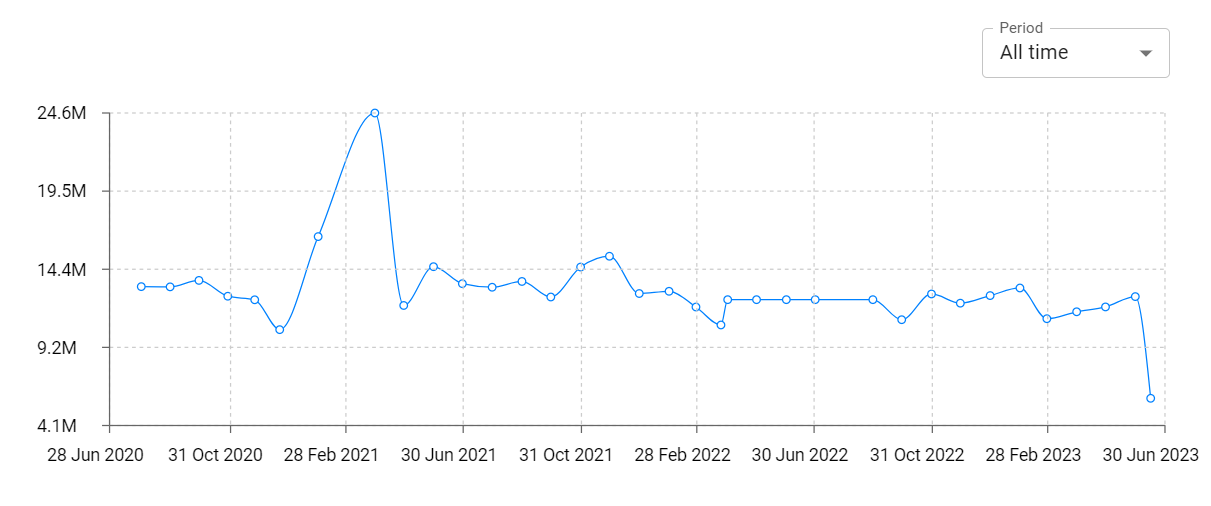
Auto TTS Total Installs and Downloads charts
Explore Auto TTS Total Installs to gain a deeper understanding of the app
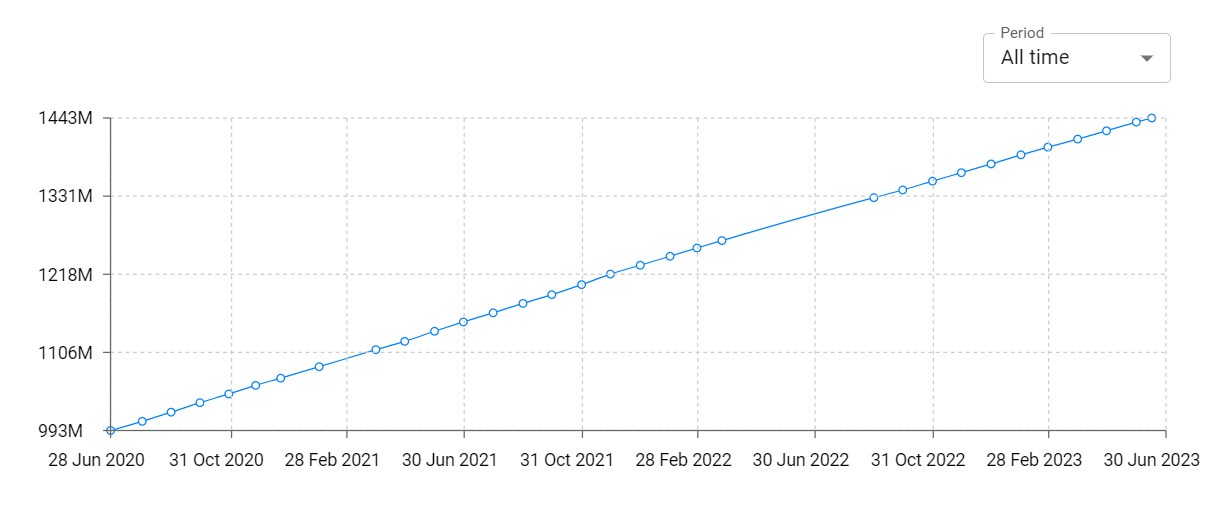
Auto TTS Daily Installs and Downloads charts
Explore Auto TTS Daily Installs to gain a deeper understanding of the app
Auto TTS Global Top Charts: Interactive Map of Country and Category Rankings
Auto TTS Revenue and Installs Distribution by Countries
Auto TTS Changelog

