
LG TV Remote
LG TV Remote with Touchpad & Voice Control - Connect Your LG TV with Smartphone
★
LG TV Remote with Touchpad & Voice Control - Connect Your LG TV with Smartphone
Best LG TV Remote Images and Marketing Description


LG TV Remote for webOS TV – Fast, Simple & Reliable Control
Turn your smartphone into a powerful LG TV Remote and control your LG Smart TV instantly over WiFi. Enjoy seamless navigation, voice commands, touchpad control, and quick access to your favorite apps — all from your phone.
No IR blaster required. Just connect your phone and TV to the same WiFi network and start controlling your TV in seconds.
━━━━━━━━━━━━━━━
📱 Key Features
━━━━━━━━━━━━━━━
• LG TV Remote over WiFi
• Fast and automatic connection to compatible LG Smart TVs
• Smooth touchpad navigation
• Cursor mode for precise control
• Voice Control & Voice Commands
• Volume control (Up, Down, Mute)
• Channel switching and navigation
• Launch apps directly from your phone
• Quick access to Netflix, YouTube, and more
• Clean, modern, and responsive UI
• Automatic TV discovery on your network
━━━━━━━━━━━━━━━
🎙 Voice Control
━━━━━━━━━━━━━━━
Control your LG Smart TV using simple voice commands:
• Change channels
• Adjust volume
• Open apps
• Navigate menus
• Search content faster
Voice control makes TV interaction faster, smarter, and more convenient than traditional remotes.
━━━━━━━━━━━━━━━
🖱 Touchpad & Cursor Control
━━━━━━━━━━━━━━━
Experience smooth and intuitive navigation with advanced touchpad and cursor mode. Easily browse apps, menus, and web content using your smartphone.
━━━━━━━━━━━━━━━
⚙️ Easy Setup
━━━━━━━━━━━━━━━
1. Connect your phone and LG Smart TV to the same WiFi network
2. Open the app and search for available TVs
3. Accept the pairing request on your TV
4. Start controlling your TV instantly
━━━━━━━━━━━━━━━
📺 Compatibility
━━━━━━━━━━━━━━━
Works with compatible LG Smart TVs running webOS.
━━━━━━━━━━━━━━━
⚠️ Important Notes
━━━━━━━━━━━━━━━
• Phone and TV must be on the same WiFi network
• No IR blaster required
• Compatible LG Smart TV is necessary
━━━━━━━━━━━━━━━
📌 Disclaimer
━━━━━━━━━━━━━━━
This application is independently developed and is not affiliated with, endorsed by, or sponsored by LG Electronics.
LG TV Remote Revenue and Downloads
Measure LG TV Remote performance and get insights with AppstoreSpy data you won’t find anywhere else using our Analytics, Revenue Stats ans Trends.
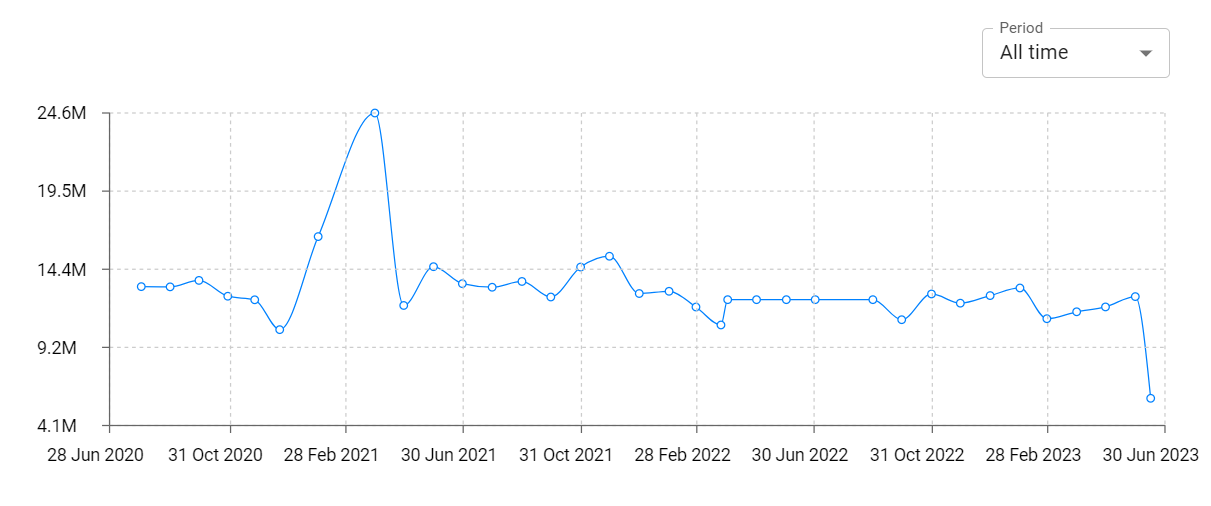
LG TV Remote Total Installs and Downloads charts
Explore LG TV Remote Total Installs to gain a deeper understanding of the app
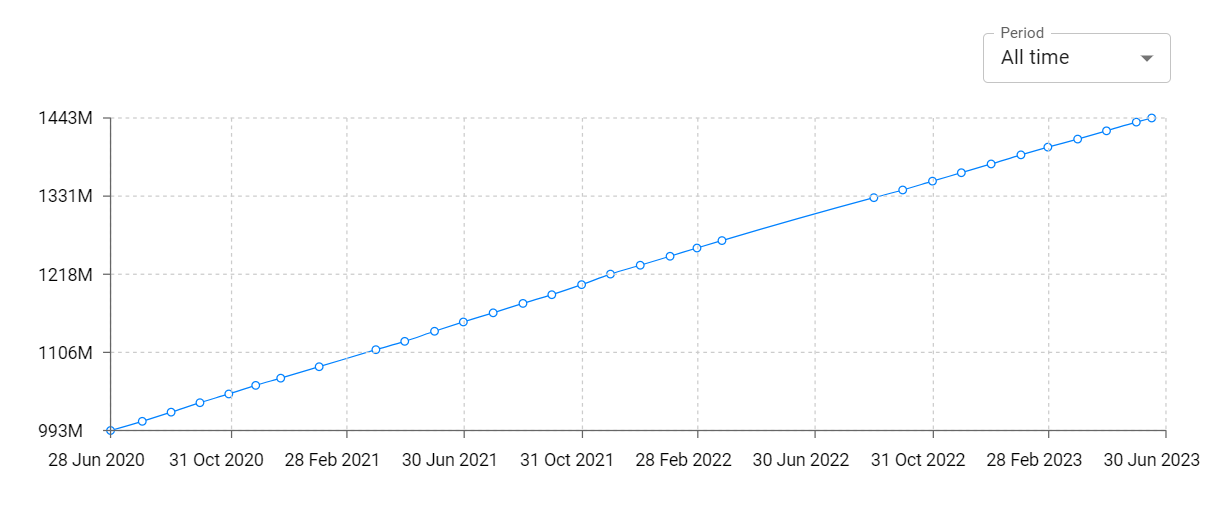
LG TV Remote Daily Installs and Downloads charts
Explore LG TV Remote Daily Installs to gain a deeper understanding of the app
LG TV Remote Global Top Charts: Interactive Map of Country and Category Rankings
LG TV Remote Revenue and Installs Distribution by Countries
LG TV Remote Changelog

