
FlashGet Kids:parental control
All-in-one App Block and Sensitive Content Detection App
4.6 ★
All-in-one App Block and Sensitive Content Detection App
Best FlashGet Kids:parental control Images and Marketing Description


FlashGet Kids: Parental Control is designed for caring parents, helping them stay aware of their child's current whereabouts, guide digital routines, and ensure children's safety through powerful and secure features such as Real-time Activity Overview, App Block, and Content Guidance, while fostering good phone usage habits.
How does FlashGet Kids protect your children?
● Camera Snapshot / One-Way Audio - Helps parents identify and understand emergency events happening around their children in real-time, enabling parents to reach out to their children anytime and stay informed.
● Screen Mirroring - Projects your child's handheld screen to your phone in real-time, allowing you to see the apps your child uses at school and their usage frequency, protecting them from potentially dangerous apps.
● Screen Snapshot and Recordings - supports Scheduled Record. Through this feature, parents can identify potential exposure to inappropriate images or videos on the child's phone, and guide their children to access content appropriate to their age.
● Child's Whereabouts - You can set customizable safe zones and receive notifications when they enter or exit specific areas, providing constant reassurance.
● Sync App Notifications - Real-time synchronization helps you stay informed about your child's messaging activities on social media apps, helping them stay away from cyberbullying and online scams.
● Social App and Content Guidance - With Digital safety tools, parents can guide children's content exposure on social media platforms like TikTok, YouTube, Snapchat, WhatsApp, Facebook, Instagram, and Telegram, while also supporting Web content filtering to filter inappropriate websites. Parents can customize browsing modes to prevent children from accessing sensitive sites, guiding them towards age-appropriate content.
● Screen Time Limits - Set a dedicated schedule for your child, limiting their phone usage time to prevent them from being distracted during class.
● App Rules - Custom usage rules can be set for apps through time restrictions, such as limiting the use of certain apps or their duration. Parents will receive alerts when their child attempts to install or delete an application.
● Live Painting - Parents can share handwritten doodles to their child's phone, expressing their affection or sharing a "secret signal" unique to them, enhancing emotional connection with their kids.
Compared to other digital guidance apps, FlashGet Kids is more like a family bond, allowing parents to better understand their children and help them develop good digital handheld gadget usage habits.
Activating FlashGet Kids is simple:
Install FlashGet Kids on your phone
Connect to your child's phone through an invitation link or code
Link your account to your child's phone
Below is FlashGet Kids Privacy Policy and Terms
Privacy Policy: https://kids.flashget.com/privacy-policy/
Terms of Service: https://kids.flashget.com/terms-of-service/
Help and Support:
If you have any questions, please feel free to contact us via email: help@flashget.com
FlashGet Kids:parental control Revenue and Downloads
Measure FlashGet Kids:parental control performance and get insights with AppstoreSpy data you won’t find anywhere else using our Analytics, Revenue Stats ans Trends.
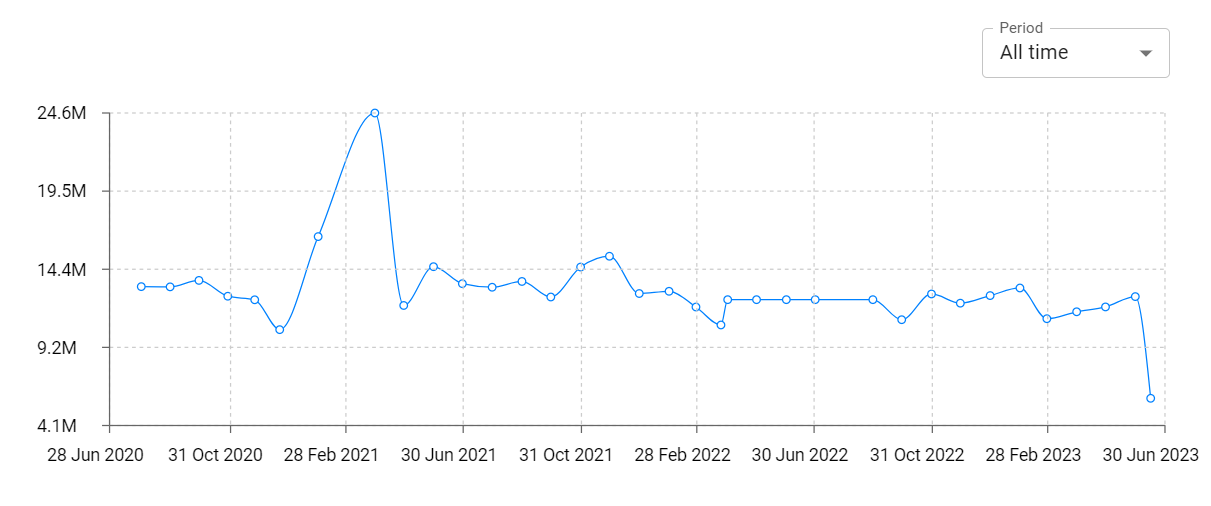
FlashGet Kids:parental control Total Installs and Downloads charts
Explore FlashGet Kids:parental control Total Installs to gain a deeper understanding of the app
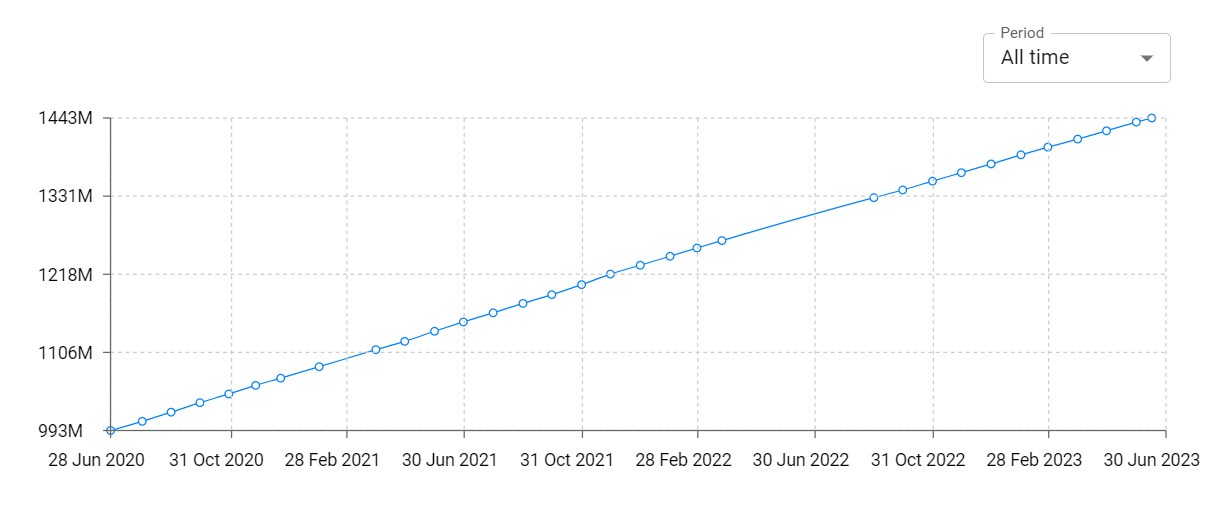
FlashGet Kids:parental control Daily Installs and Downloads charts
Explore FlashGet Kids:parental control Daily Installs to gain a deeper understanding of the app
FlashGet Kids:parental control Global Top Charts: Interactive Map of Country and Category Rankings
FlashGet Kids:parental control Revenue and Installs Distribution by Countries
FlashGet Kids:parental control Changelog

