
| 7 months | Age |
|---|---|
| 3 months ago | Updated |
| 1.1.1 | Version |
| March 12, 2026 | Release date |
| 43 | Ratings |
| 96Mb | Size |

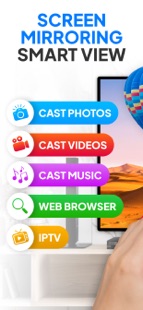


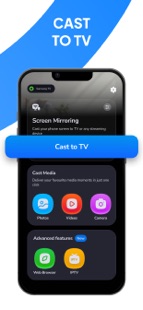
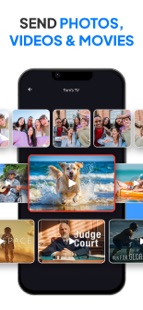


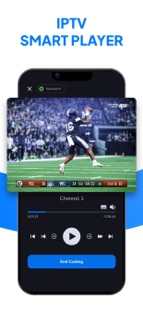

Turn your phone into the ultimate casting tool with Screen Mirroring!
Enjoy smooth, high-quality screen mirroring and cast your favorite content effortlessly to your TV. With just a few taps, you can screen mirror everything from apps to videos and photos, all in stunning clarity.
Features you’ll love:
√ Screen Mirroring: Instantly screen mirror the content of your phone to any compatible TV or streaming device. Whether you’re playing games, watching movies, or presenting photos, screen mirroring works without delays, providing a seamless experience.
Compatible with popular TV systems like Miracast, Samsung (Tizen), LG (WebOS), Roku TV, Smart View, and Vizio (Smartcast).
√ Cast to TV: Easily cast to TV and watch your videos, photos, and music in high definition. Whether you're viewing a movie from your gallery or sharing a slideshow, cast to TV makes everything look amazing.
√ IPTV List Integration: Configure your IPTV libraries and cast to TV your favorite channels. With screen mirroring, you can enjoy live TV broadcasts from any supported IPTV service.
√ Miracast Support: Experience Miracast for easy screen sharing and casting, with minimal lag and crystal-clear picture quality. Enjoy smooth screen mirroring from your phone to your TV.
√ Screen Share: Share your phone’s screen with others in real time using screen share. Whether for presentations or sharing family moments, screen share is the easiest way to project content to your TV.
√ Cast Your Camera: Want to cast to TV your live camera feed? With screen mirroring, you can stream what your camera sees directly to your TV. It’s perfect for video calls, live streaming, or showing off something you’ve just captured.
√ Smart View: Smart View lets you easily stream your content from your phone to the TV, making it perfect for sharing photos or videos. With Smart View, you can connect in seconds and enjoy hassle-free casting.
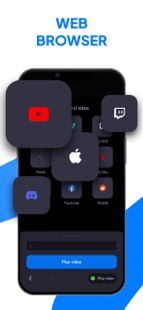
√ Web Browser Casting: Navigate any website and cast to TV the images or videos you find online. It’s like having a smart browser directly on your TV screen. Share what you see in real time with just a tap.
√ YouTube Casting: Searching for a YouTube video? With just a link, cast to TV the video and watch it in full-screen mode. It’s a great way to enjoy YouTube on the big screen, whether it’s for entertainment, tutorials, or anything else.
√ Voice Mode (Intercom): Use screen mirroring for voice-only streaming. Act as an intercom by broadcasting the sound picked up by your phone to your TV speakers. Screen mirroring has never been this versatile!
Why Screen Mirroring is the Best Choice?
Zero Lags, High Quality: Enjoy ultra-smooth screen mirroring with no interruptions. Miracast, Smart View, and screen share all ensure the best viewing experience with ultra-low latency and high-definition resolution.
Quick Setup: Easily cast to TV and screen mirror your phone in just a few taps. No cables, no complicated settings—just fast, easy screen mirroring that works every time.
Compatible with All Devices: Whether you’re using Miracast, Smart View, or any of the other major casting technologies, screen mirroring works with almost all TV models and streaming devices.
Experience the power of screen mirroring—download now and start casting to TV in seconds!
Download Screen Mirroring for FREE or upgrade to Premium for full access to all pro features. You can cancel your subscription anytime in the phone settings at least 24 hours before the end of the current subscription period. Subscriptions will automatically renew unless auto-renewal is turned off.
This application is an independent development, compatible with the mentioned brands or companies, but it is not officially related to or associated with them in any way.
◉ CONTACT:
For app support please contact us at:
info@screenmirroringtv.app
Terms of use:
https://screenmirroringtv.app/privacy-and-cookie-policy/
Privacy policy:
https://screenmirroringtv.app/terms-of-use/